
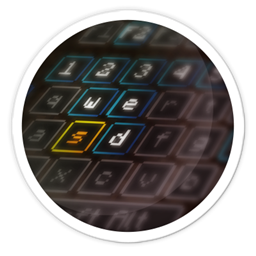
Raw's Visual keybinder مود لماينكرافت 1.21.1, 1.19.2
حل مرئي لربط المفاتيح.
 NeoForge
 Forge
Forgeحول مود Raw's Visual keybinder
هذا المود حل لمشكلة وجود مودباك كبير يحتوي على العديد من اختصارات المفاتيح.
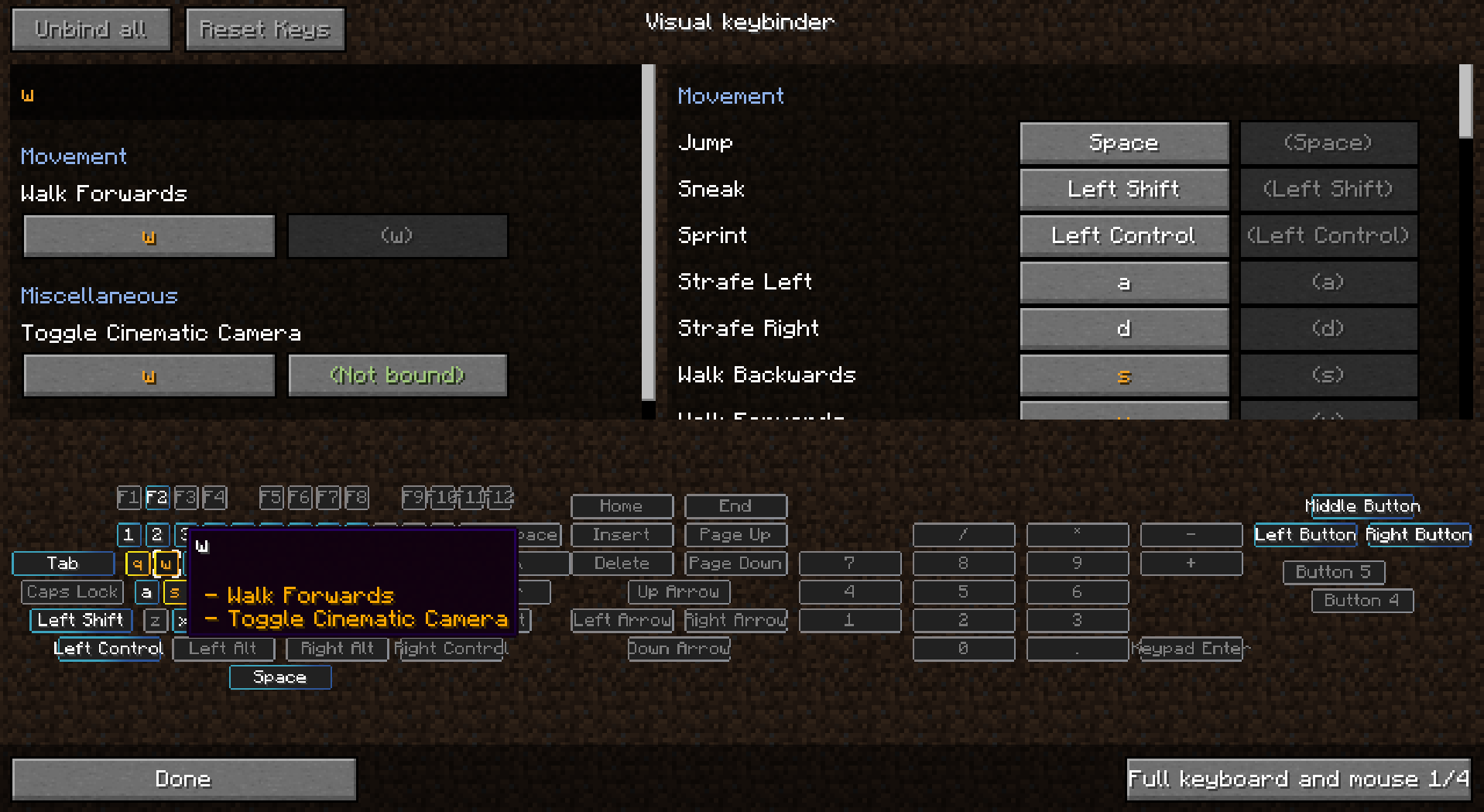
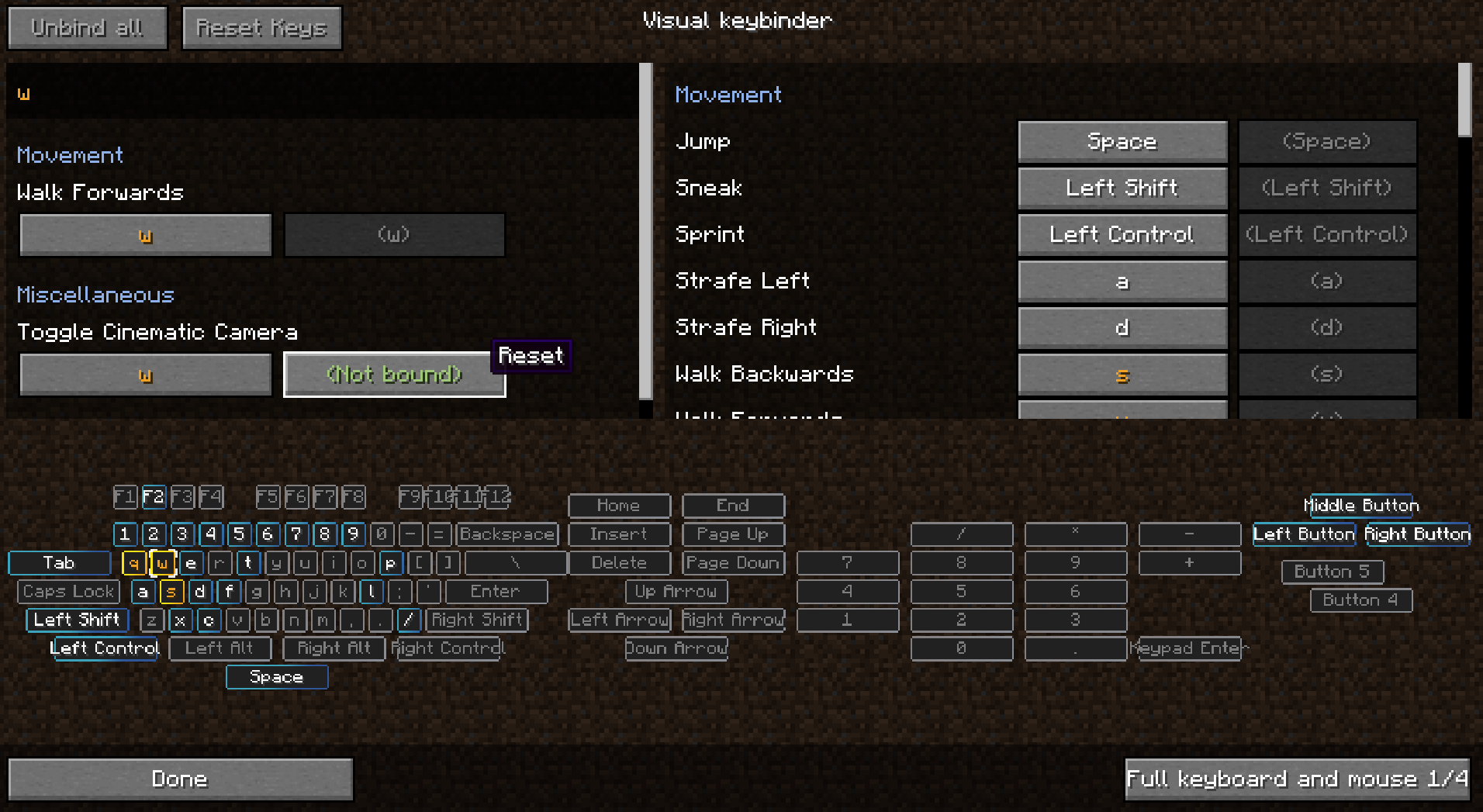
يضيف طريقة إضافية لإدارة اختصارات المفاتيح. يوفر شاشة إضافية يمكن الوصول إليها عبر الزر المجاور لزر تعديل اختصارات المفاتيح الافتراضي في قائمة الخيارات.
تحتوي الشاشة على تخطيط يشبه لوحة المفاتيح مع تمييز جميع الأزرار المستخدمة والمتعارضة. بهذه الطريقة يحصل اللاعبون على نظرة شاملة رائعة عن المفاتيح التي لا تزال متاحة وتلك التي تحتاج إلى انتباه.
كأثر جانبي لصنع هذا المود، يمكنك أيضًا استخدام المعدِّلات مع أزرار الفأرة مثل Shift+النقر الأيسر. قد يكون هذا مفيدًا أو غير مفيد في بعض الحالات.
تتوفر تخطيطات متعددة ويمكن تغيير التخطيطات أو إضافتها في الإعدادات.
مود للعميل. لا يلزم وجوده على السيرفر.
انظر الصور لبعض لقطات الشاشة.
الإعدادات المسبقة
يمكن تحميل الإعدادات المسبقة وحفظها. يتم تخزينها في مجلد .minecraft تحت 'keybinding presets'.
بدّل بين الإعدادات المسبقة بسرعة عبر إعداد اختصار مفتاح لإعداداتك المسبقة المفضلة.
كيفية جعل إعداد مسبق يُحمَّل عند أول تشغيل
استخدم 'presettoloadonfirststartup.txt' لتحديد اختصار مفتاح يجب تحميله عند بدء التشغيل. سيتم بعد ذلك تحميل هذه الاختصارات عند بدء التشغيل. سيتم إنشاء الملف initialized.dat عندما يبدأ اللاعب اللعبة لأول مرة. عند وجود هذا الملف، لن يتم تحميل الإعداد المسبق في presettoloadonfirststartup.txt.
جعل إعداد مسبق للقراءة فقط
عند فتح إعداد مسبق باستخدام notepad يمكنك إضافة النص 'readonly' في السطر الأول ثم الحفظ.
شحن اختصارات المفاتيح مع المودباك
- تأكد من تصدير مجلد keybinding preset
- لا تصدّر keybinding presets/initialized.dat
- احفظ إعدادًا مسبقًا في اللعبة
- عدّل الملف المُنشأ في notepad
- في بداية الملف أدرج سطرًا جديدًا يحتوي على النص: readonly
- لا أكثر ولا أقل
- ثم في الملف presettoloadonfirststartup.txt، في السطر الثاني املأ اسم إعدادك المسبق، وهو اسم الملف بدون preset.txt الموجود في نهاية اسم الملف.
يمكنك شحن مودباك الخاص بك مع عدة إعدادات مسبقة، لكن يمكن تحميل إعداد مسبق واحد فقط عند بدء التشغيل. من الممكن استخدام أحرف كبيرة في اسم الملف.
يُسمح بالاستخدام في المودباك دون الحاجة إلى السؤال
شكرًا لـ Radimous على النقل العكسي إلى 1.18.2!
شكرًا لـ Bubin7766 على النقل إلى 1.21.1 Neoforge!
كيفية تثبيت Raw's Visual keybinder
With Millida Launcher
Install Millida Launcher
The launcher is free: download it at millida.net/launcher and sign in with any nickname.
Click “Install” on this page
The launcher opens and installs the mod for Minecraft 1.19.2–1.21.1 on Forge or NeoForge automatically.
Launch the game
A profile with it appears in the launcher: click “Play”.
Manually
Install Forge or NeoForge
The loader must match the game version of the mod file, for example Minecraft 1.21.1. After installing it, a separate profile appears in your launcher.
Download the file for your version
In the version list above, pick the file visual_keybinder-1.21.1-0.1.13-neoforge.jar (345 KB) for your game version and loader.
Put it in the mods folder
The folder is inside .minecraft (Windows: %appdata%\.minecraft\mods). If it does not exist, create it.
Launch the loader profile
Open “Mods” in the main menu: Raw's Visual keybinder should be in the list.
Minecraft 1.21.1 runs on Java 21: with a different Java version the game may close right after launch.
الإصدارات
مع المتطلبات
| Minecraft | المشغّل | الملف | التاريخ | الإجراءات |
|---|---|---|---|---|
| 1.19.2 | Forge | visual_keybinder-1.19.2 - 0.1.12.jar252 KB | ||
| 1.21.1 | NeoForge | visual_keybinder-1.21.1-0.1.13-neoforge.jar345 KB 8 |
الأسئلة الشائعة
Which Minecraft versions does Raw's Visual keybinder work on?
There are files for 1.21.1, 1.19.2. The newest is 1.21.1.
Is Raw's Visual keybinder for Forge or Fabric?
There are files for Forge: 1.19.2 and for NeoForge: 1.21.1. There are no files for Fabric: a mod for another loader will not start.
Does Raw's Visual keybinder need other mods?
The author lists no required dependencies: the Forge or NeoForge loader is enough.
Which Java does Raw's Visual keybinder need?
Minecraft 1.21.1 runs on Java 21. If the game closes right after launch, the usual cause is the wrong Java version in the profile settings.
Where can I download Raw's Visual keybinder safely?
On this page: the file visual_keybinder-1.21.1-0.1.13-neoforge.jar (345 KB) is stored on Millida’s server, with no link shorteners. SHA-1 checksum: 58204c60c8f8b983dcb184b6104193ebf488b79f.
التقييمات
كن أول من يقيّم Raw's Visual keybinder


