

Modpack Configuration Checker مود لماينكرافت 1.12.2, 1.21
مود يتيح لمنشئي حزم المودات عرض حقوق حزمة المودات والتحقق من إعدادها بشكل صحيح.
 Forge
Forge Fabric
حول مود Modpack Configuration Checker
يرجى الإبلاغ عن أي أخطاء في متتبع المشكلات هنا
Modpack Configuration Checker
Modpack Configuration Checker هو مود قابل للتخصيص بدرجة عالية يسمح لمنشئي حزم المودات بتخصيص Minecraft لدعم حزم المودات بشكل أفضل. يوفر ميزات مثل عرض صفحات الويب عند التشغيل وميزات مثل التحقق من أن مستخدم حزمة المودات قد خصص ذاكرة RAM كافية لحزمة المودات. يوسع هذا المود بشكل كبير عدد الخيارات المتاحة لمؤلف حزمة المودات.
يمكن تكوين المود بسهولة من داخل اللعبة (التعليمات أدناه). ومع ذلك، بدون تكوين، يتحقق Modpack Configuration Checker من تخصيص 2 جيجابايت على الأقل من ذاكرة RAM لحزمة المودات، مما يزيد الأداء بشكل كبير ويقلل من الأعطال.
بعض الميزات التي يوفرها المود:
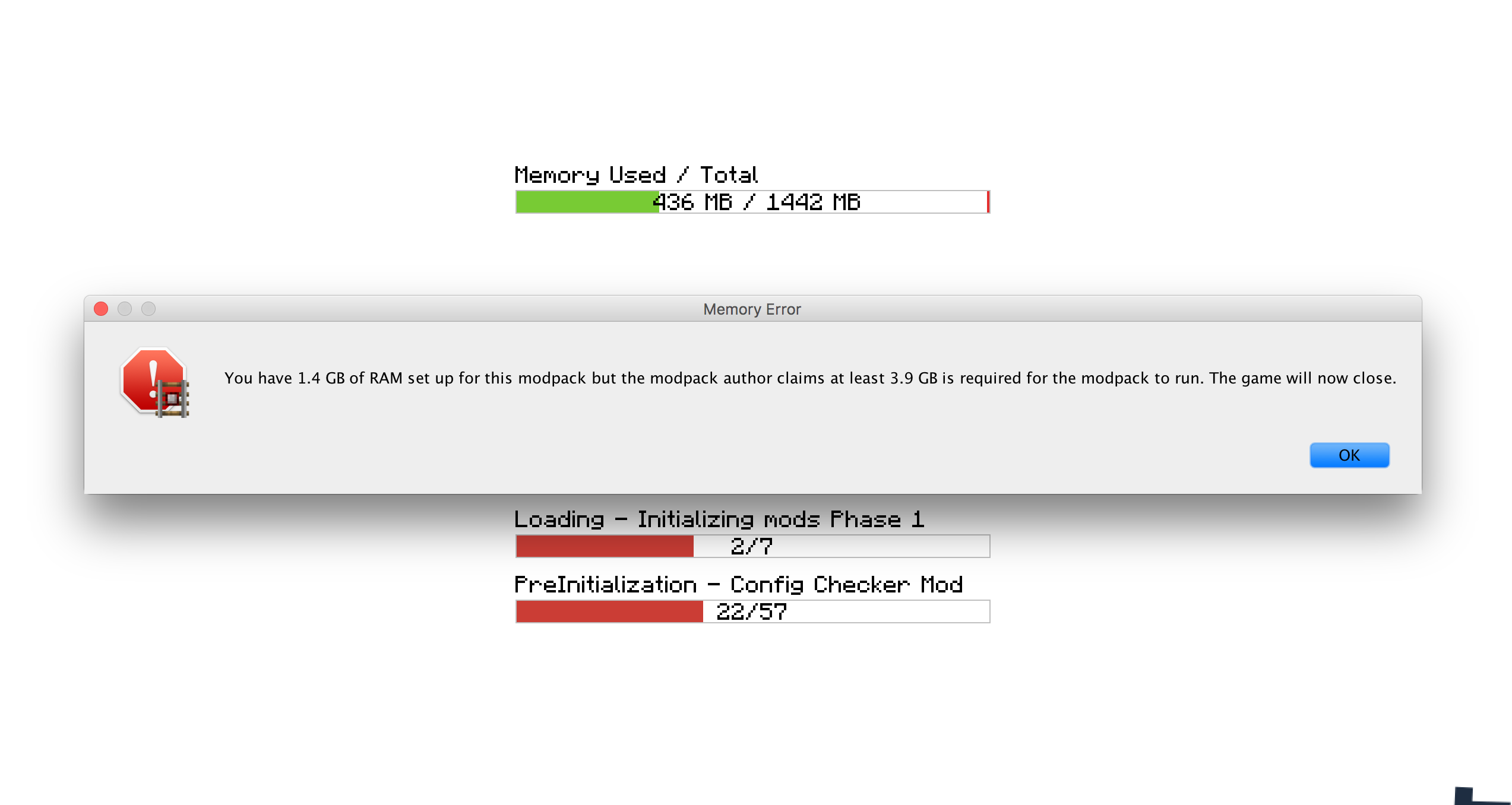
- تحديد كمية ذاكرة RAM المطلوبة لتشغيل حزمة المودات. إذا لم يتم تلبية هذا المتطلب، يتم تنبيه المستخدم وإغلاق اللعبة.
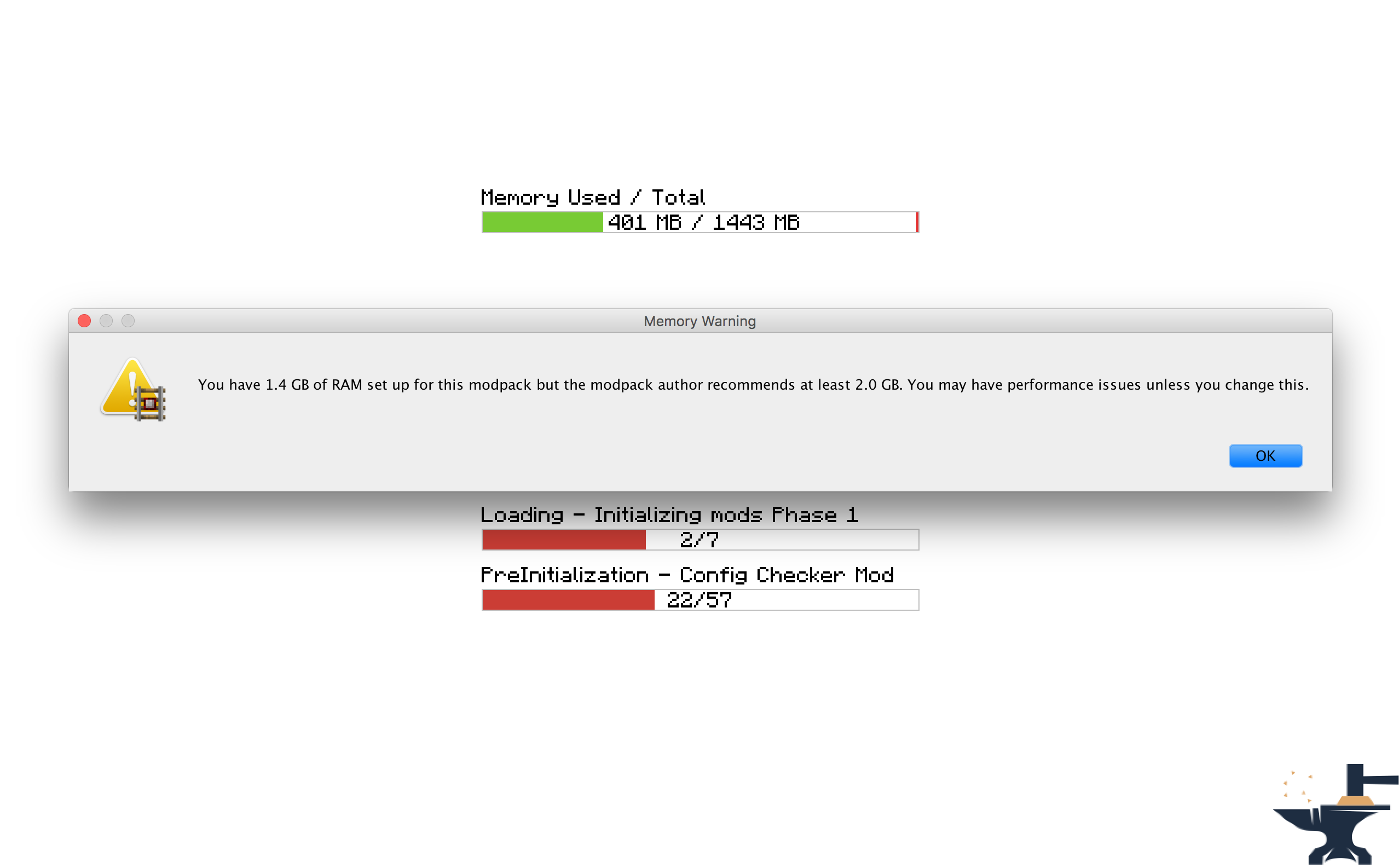
- تحديد كمية ذاكرة RAM الموصى بها لتشغيل حزمة المودات. إذا لم يتم تلبية هذا المتطلب، يتم تنبيه المستخدم.
- تحديد موقع ويب لفتحه عند تشغيل اللعبة. مفيد لفتح موقع حزمة المودات أو صفحات الدعم.
- تحديد رسالة مخصصة لعرضها أثناء تحميل اللعبة، على سبيل المثال لعرض الاعتمادات.
- تحديد رسائل مخصصة لعرضها عند عدم تلبية متطلبات ذاكرة RAM. مفيد لجعل المود يتناسب مع طابع حزمتك.
- القدرة على تغيير ما إذا كانت مربعات الرسائل تظهر فوق النوافذ الأخرى.
- تحديد رسائل ترحيب مخصصة تظهر في الدردشة عند تحميل اللعبة.
الترخيص
لا تتردد في استخدام هذا المود في أي حزم مودات ونشره على منتديات أخرى. فقط تأكد من وضع رابط يعود إلى هنا. عرض الترخيص الكامل هنا
لقطات الشاشة
كيفية التكوين (Minecraft 1.13 +
أوصي بشدة بتضمين هذا المود في حزمة المودات الخاصة بك: https://www.curseforge.com/minecraft/mc-mods/configured.
سيتيح ذلك التكوين من داخل اللعبة مما يسهل مهمتك كثيرًا.
الخطوة 1) انقر على زر 'Mods' في شاشة القائمة الرئيسية.
الخطوة 2) اختر 'Modpack Config Checker' من قائمة المودات على اليسار.
الخطوة 3) انقر على زر 'Config' في أسفل اليسار.
ملاحظات
- إذا لم تكن متأكدًا مما يفعله إعداد معين، فإن تمرير المؤشر فوقه سيعرض وصفًا صغيرًا يجب أن يوضح الأمور. ومع ذلك، إذا كنت لا تزال غير متأكد، جرب!! أو إذا كنت تفضل، إما أرسل لي رسالة خاصة أو اترك تعليقًا في هذا الموضوع. سأكون سعيدًا بشرح أي من آليات المود لك.
التكوين اليدوي (1.13.x - 1.20.x)
التكوين اليدوي (موجود في مجلد اللعبة على: Config\concheckrmd-client.toml)
يوضح لك هذا القسم كيفية تكوين المود يدويًا بدون واجهة المستخدم الرسومية الاختيارية. افتح ملف التكوين في Notepad أو محرر نصوص.
نسخة مرمزة بالألوان من ملف التكوين. سيوضح لك هذا القيم التي يمكن تغييرها والتي لا يمكن تغييرها.
مفتاح الألوان
BLUE: Boolean (بمعنى أنه يمكن تغييرها فقط إلى 'true' أو 'false')
RED: String (بمعنى أنه يمكن تغييرها إلى أي نص. مثال: 'Hello World')
Green: Integers (بمعنى أنه يمكن تغييرها إلى أي رقم. مثال: '512')
["Customisable Chat Greeting Message"] The color of the message to be displayed in chat. Allowed Values: Blue, Green, Red, Aqua, Yellow, White, Black, Grey, Purple, DarkBlue, DarkGreen, DarkRed, DarkPurple "3) Greeting Message Color" = "Yellow" The text to be displayed in chat. "2) Greeting Message Text" = "Hello there! Welcome to my modpack." Customisable message that will be displayed in chat when a world is loaded. "1) Display Chat Greeting Message?" = true
["Customisable Start Message"] Customisable message that will appear each time the game starts. This is useful for displaying credits. "1) Display message box?" = true Will the window show on top of all other windows? Recommended to keep set to True. "2) Display message box topmost?" = true The text that will be displayed in the message box. "3) Message Box Text" = "Hello Modpack Users! Made by mattr"
["Customisable First Start Message"] A message box that will be displayed when the game is started for the first time. This is useful for displaying instructions. "1) Display message box?" = true Will the window show on top of all other windows? Recommended to keep set to True. "2) Display message box topmost?" = true The text that will be displayed in the message box. "3) Message Box Text" = "Welcome. Thank you for starting my mofdpack for the first time!"
["Open A Website when the Game Starts"] Opens a webpage when the game starts. This is useful for modpack support. "1) Display Website when game starts?" = true The URL of the website that will be displayed. This can be formatted like: http://google.com, www.google.com or google.com. "2) Website URL" = "minecraft.curseforge.com/projects/config-checker"
["Amount of RAM Recommended for Game to Start"] The amount of RAM recommended for stable gameplay. Range: 128 ~ 51200 "1) Ram Recommended (IN MB)" = 12048 If the player has less than the recommended amount of RAM assigned to the modpack then a warning will be displayed when the game is started. "2) Check RAM meets recommendation?" = true The custom message to be displayed if you have set the previous setting to 'True'. Will display custom message instead of the default text. "5) Custom Message" = "You should assign more RAM to experience better performance." Will the window show on top of all other windows? I highly recommend this is left as true. "3) Display message box topmost?" = true Customise the text that appears in the warning message. Will display custom message instead of the default text. "4) Customise low RAM Warning?" = false
["Recommended RAM Chat Message"] The amount of RAM recommended for stable gameplay. Range: 128 ~ 51200 "1) Ram Recommended (IN MB)" = 51200 If the player has less than the recommended amount of RAM assigned to the modpack then a warning will be displayed in chat when a world is loaded. "2) Check RAM meets recommendation?" = true Customise the text that appears in the warning message. Will display custom message instead of the default text. "3) Customise low RAM Warning?" = true The custom message to be displayed in chat if you have set the previous setting to 'True'. Will display custom message instead of the default text. "4) Custom Message" = "You should assign more RAM to experience better performance."
["Amount of RAM Required for Game to Start"] If the player has less than the required amount of RAM assigned to the modpack then they will be alerted as the game starts and the game will close. "2) Check RAM meets requirement?" = true The amount of RAM required for the game to run. Range: 128 ~ 51200 "1) Ram Required (IN MB)" = 1024 The custom message to be displayed if you have set the previous setting to 'True'. Will display custom message instead of the default text. "5) Custom Message" = "You need more RAM. The game will close." Will the window show on top of all other windows? I highly recommend this is left as true. "3) Display message box topmost?" = true Customise the text that appears in the error message. Will display custom message instead of the default text. "4) Display custom text in messagebox?" = false
["Game Launch Time Limit"] If the game exceeds the launch timeout then a message box will be displayed and the game will close. "2) Check game meets launch timeout?" = false The custom message to be displayed if you have set the previous setting to 'True'. Will display custom message instead of the default text. "5) Custom Message" = "The game has taken too long too start to start this modpack. This is probably due to insufficient system resources. The game will now close." The maximum amount of time the game will be allowed to spend booting. (IN SECONDS) Range: 5 ~ 5400 "1) Launch Timeout (IN SECONDS)" = 30 Will the window show on top of all other windows? I highly recommend this is left as true. "3) Display message box topmost?" = true Customise the text that appears in the error message. Will display custom message instead of the default text. "4) Display custom text in error message?" = false
كيفية التكوين (Minecraft 1.11 + 1.12)
اعتبارًا من الإصدار 1.6، يمكن الآن تكوين المود بالكامل من داخل اللعبة. وهذا يعني أنه لم يعد من الضروري تحرير أي من ملفات التكوين يدويًا مما يجعل المود أسهل بكثير في الاستخدام. يمكن الوصول إلى شاشة التكوين باتباع هذه الخطوات:
الخطوة 1) انقر على زر 'Mods' في شاشة القائمة الرئيسية.
الخطوة 2) اختر 'Modpack Config Checker' من قائمة المودات على اليسار.
الخطوة 3) انقر على زر 'Config' في أسفل اليسار.
ملاحظات
- إذا لم تكن متأكدًا مما يفعله إعداد معين، فإن تمرير المؤشر فوقه سيعرض وصفًا صغيرًا يجب أن يوضح الأمور. ومع ذلك، إذا كنت لا تزال غير متأكد، جرب!! أو إذا كنت تفضل، إما أرسل لي رسالة خاصة أو اترك تعليقًا في هذا الموضوع. سأكون سعيدًا بشرح أي من آليات المود لك.
- لقد أنشأت أداة ترحيل تعني أن جميع إعداداتك ستنتقل إلى الإصدارات المحدثة من المود. وهذا يضمن نقلًا سلسًا، بحيث لن يكون هناك أي تأثير على المستخدم العادي. إذا تم اكتشاف ملف تكوين قديم، فستمنحك اللعبة تلقائيًا خيار استيراد إعداداتك القديمة. لقد قضيت الكثير من الوقت في هذه الميزة، مما يعني أن لديها معدل نجاح عالٍ جدًا.
- تكوين داخل اللعبة متاح فقط على 1.11.2 وما فوق (في الوقت الحالي). ويرجع ذلك إلى التعقيد الأكبر لهذا الإعداد على الإصدارات الأقدم من forge. إذا كنت على إصدار Minecraft أقل، فسيتعين عليك استخدام التكوين القديم، وهو موضح أدناه. إذا كان هناك اهتمام كافٍ، فقد أعيد النقل إلى 1.10.2 أو 1.7.10 في المستقبل، ولكن في الوقت الحالي لن يتم تحديث هذه الإصدارات بعد الآن.
التكوين القديم (Minecraft 1.10 وما دون) (موجود في مجلد اللعبة على: Config/concheckrmd.cfg)
نسخة مرمزة بالألوان من ملف التكوين. سيوضح لك هذا القيم التي يمكن تغييرها والتي لا يمكن تغييرها.
مفتاح الألوان
BLUE: Boolean (بمعنى أنه يمكن تغييرها فقط إلى 'true' أو 'false')
RED: String (بمعنى أنه يمكن تغييرها إلى أي نص. مثال: 'Hello World')
Green: Integers (بمعنى أنه يمكن تغييرها إلى أي رقم. مثال: '512')
ملف التكوين
"custom greeting message" {
B:"1. Display custom greeting message when joining a world?"=false
رسالة سيتم عرضها في الدردشة عند تحميل اللعبة. سيتم عرضها فقط إذا كان 'Display custom greeting message when joining a world?' يساوي true [default: Hello there! Welcome to my modpack.]
S:"2. Custom greeting message text"=Hello there! Welcome to my modpack. }
"custom messagebox" { B:"1. Show custom messagebox when game loads?"=false B:"2. Display message box on top of all other windows?"=true
أدخل نص النافذة المنبثقة. سيتم عرضه فقط إذا كان 'Show custom messagebox when game loads?' يساوي true [default: Hello World!!]
S:"3. Custom Messagebox text"=Hello World!! }
"display webpage" { B:"1. Open web browser to URL when game loads?"=false
أدخل URL ليتم فتحه. سيتم عرضه فقط إذا كان 'Open web browser to URL when game loads?' يساوي true [default: http://minecraft.curseforge.com/projects/config-checker]
S:"2. URL to webpage"=minecraft.curseforge.com/projects/config-checker }
"ram recommendation" { I:"1. Ram Recommended (IN MB)"=2048 B:"2. Check RAM meets recommendation?"=true B:"3. Display message box on top of all other windows?"=true B:"4. Display custom text in message box if RAM recommendations not met?"=false
أدخل نصًا مخصصًا ليتم عرضه إذا لم يتم تلبية توصية ذاكرة RAM. سيتم عرضه فقط إذا كان 'Display custom text in message box if RAM recommendation not met?' يساوي true [default: You should add more RAM.]
S:"5. Custom recommendation text"=You should add more RAM. B:"6. Display warning in game chat if RAM recommendation not met?"=true B:"7. Customise game chat RAM recommendation message?"=false
أدخل نصًا مخصصًا ليتم عرضه في دردشة اللعبة إذا لم يتم تلبية توصية ذاكرة RAM. سيتم عرضه فقط إذا كان 'Customise game chat RAM recommendation message?"' يساوي true [default: [WARNING] You should assign more RAM to this modpack.]
S:"8. Custom chat message"=[WARNING] You should assign more RAM to this modpack. }
"ram requirement" { I:"1. Ram Required (IN MB)"=1024 B:"2. Check RAM meets requirement?"=false B:"3. Display message box on top of all other windows?"=true B:"4. Display custom text in message box if RAM requirement not met?"=false
أدخل نصًا مخصصًا ليتم عرضه إذا لم يتم تلبية متطلب ذاكرة RAM. سيتم عرضه فقط إذا كان 'Display custom text in message box if RAM requirement not met?' يساوي true [default: You need more RAM.]
S:"5. Custom requirement text"=You need more RAM. }
كيفية تثبيت Modpack Configuration Checker
With Millida Launcher
Install Millida Launcher
The launcher is free: download it at millida.net/launcher and sign in with any nickname.
Click “Install” on this page
The launcher opens and installs the mod for Minecraft 1.12–1.21 on Fabric or Forge automatically.
Launch the game
A profile with it appears in the launcher: click “Play”.
Manually
Install Fabric or Forge
The loader must match the game version of the mod file, for example Minecraft 1.21. After installing it, a separate profile appears in your launcher.
Download the file for your version
In the version list above, pick the file Modpack Configuration Checker-1.21.x-v1.9.5-forge.jar (146 KB) for your game version and loader.
Put it in the mods folder
The folder is inside .minecraft (Windows: %appdata%\.minecraft\mods). If it does not exist, create it.
Launch the loader profile
Open “Mods” in the main menu: Modpack Configuration Checker should be in the list.
Minecraft 1.21 runs on Java 21: with a different Java version the game may close right after launch.
الإصدارات
مع المتطلبات
| Minecraft | المشغّل | الملف | التاريخ | الإجراءات |
|---|---|---|---|---|
| 1.20.6 | Fabric | Modpack Configuration Checker-1.20.6-v1.9.8-fabric.jar84 KB | ||
| 1.21 | Forge | Modpack Configuration Checker-1.21.x-v1.9.5-forge.jar146 KB | ||
| 1.12.1 | — | Modpack Configuration Checker-1.12.2-v1.9.5.jar154 KB | ||
| 1.14.4 | — | Modpack Configuration Checker-1.14.x-v1.7.1.jar135 KB |
الأسئلة الشائعة
Which Minecraft versions does Modpack Configuration Checker work on?
There are files for 1.21, 1.20.6, 1.14.4, 1.12.2, 1.12.1, 1.12. The newest is 1.21.
Does Modpack Configuration Checker need other mods?
The author lists no required dependencies: the Fabric or Forge loader is enough.
Which Java does Modpack Configuration Checker need?
Minecraft 1.21 runs on Java 21. If the game closes right after launch, the usual cause is the wrong Java version in the profile settings.
التقييمات
كن أول من يقيّم Modpack Configuration Checker


