
 NeoForge
 Forge
📖 نبذة -
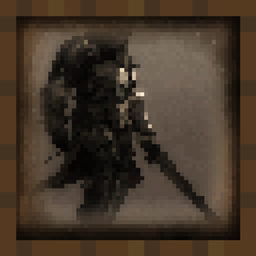
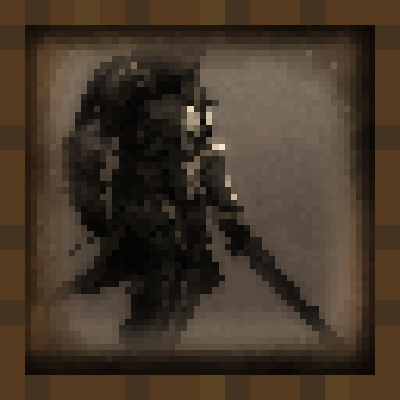
أضف أكثر من 50 لوحة تُبرز جمال الفن الفانتازي في العصور الوسطى.
دقة اللوحات هي 16x16، وتندمج المنسوجات المتوافقة مع اللعبة الأصلية في عالم Minecraft. ضع اللوحات تمامًا مثل أي عنصر لوحة عادي وحوّل التصميم الداخلي لمبانيك.
انضم إلى سيرفر الديسكورد الخاص بنا لعرض مواهبك الفنية على مجتمع Minecraft. هناك قناة مخصصة للفنانين الذين يرغبون في عرض أعمالهم في المود.
لاستبدال اللوحات الأصلية بلوحات من العصور الوسطى:
حمّل حزمة الموارد - https://www.curseforge.com/minecraft/texture-packs/medieval-paintings
❓ الأسئلة الشائعة -
س: هل ستنقل المود إلى Fabric؟ ج: لا. لا أحب إيذاء نفسي.
س: هل يمكنك التحديث إلى أحدث إصدار؟ ج: نعم، سأحدّث المود الخاص بي مع كل إصدار رئيسي جديد من Minecraft.
س: هل ستنقله إلى 1.12.2/1.7.10؟ ج: لا. سأضطر إلى إعادة تعلم كيفية صنع المودات.
س: هل يمكنك إضافة ... ؟ ج: انضم إلى سيرفر الديسكورد الخاص بنا. هناك قناة مخصصة لذلك. إذا أعجبتني فكرتك، فستكون لديها فرصة كبيرة للإضافة.

🔗 الروابط -
هنا يمكنك دعمي ومتابعة مشاريعي!
كيفية تثبيت Medieval Paintings
With Millida Launcher
Install Millida Launcher
The launcher is free: download it at millida.net/launcher and sign in with any nickname.
Click “Install” on this page
The launcher opens and installs the mod for Minecraft 1.18–1.21.11 on Forge or NeoForge automatically.
Launch the game
A profile with it appears in the launcher: click “Play”.
Manually
Install Forge or NeoForge
The loader must match the game version of the mod file, for example Minecraft 1.21.11. After installing it, a separate profile appears in your launcher.
Download the file for your version
In the version list above, pick the file medieval_paintings-1.21.1-7.0.jar (896 KB) for your game version and loader.
Put it in the mods folder
The folder is inside .minecraft (Windows: %appdata%\.minecraft\mods). If it does not exist, create it.
Launch the loader profile
Open “Mods” in the main menu: Medieval Paintings should be in the list.
Minecraft 1.21.11 runs on Java 21: with a different Java version the game may close right after launch.
الإصدارات
مع المتطلبات
| Minecraft | المشغّل | الملف | التاريخ | الإجراءات |
|---|---|---|---|---|
| 1.21 | NeoForge | medieval_paintings-1.21.1-7.0.jar896 KB 5 | ||
| 1.21 | Forge | medieval_paintings-1.21-7.0.jar892 KB 4 | ||
| 1.18.1 | — | medieval_paintings-2.0.jar937 KB |
الأسئلة الشائعة
Which Minecraft versions does Medieval Paintings work on?
There are files for 1.18–1.21.11, 14 versions in total. The newest is 1.21.11.
Is Medieval Paintings for Forge or Fabric?
There are files for Forge: 1.21–1.21.10 and for NeoForge: 1.21–1.21.11. There are no files for Fabric: a mod for another loader will not start.
Does Medieval Paintings need other mods?
The author lists no required dependencies: the Forge or NeoForge loader is enough.
Which Java does Medieval Paintings need?
Minecraft 1.21.11 runs on Java 21. If the game closes right after launch, the usual cause is the wrong Java version in the profile settings.
Where can I download Medieval Paintings safely?
On this page: the file medieval_paintings-1.21.1-7.0.jar (896 KB) is stored on Millida’s server, with no link shorteners. SHA-1 checksum: a126b225fb23ecc3a00f8a2a5c00abd418a6077b.
التقييمات
كن أول من يقيّم Medieval Paintings


