

Jade 🔍 مود لماينكرافت 1.20.1, 1.21.1
يعرض معلومات عما تنظر إليه. (تفرع Hwyla/Waila لماينكرافت 1.16+)
 NeoForge
 Fabric
 Quilt
Quilt Forge
ForgeJade 🔍
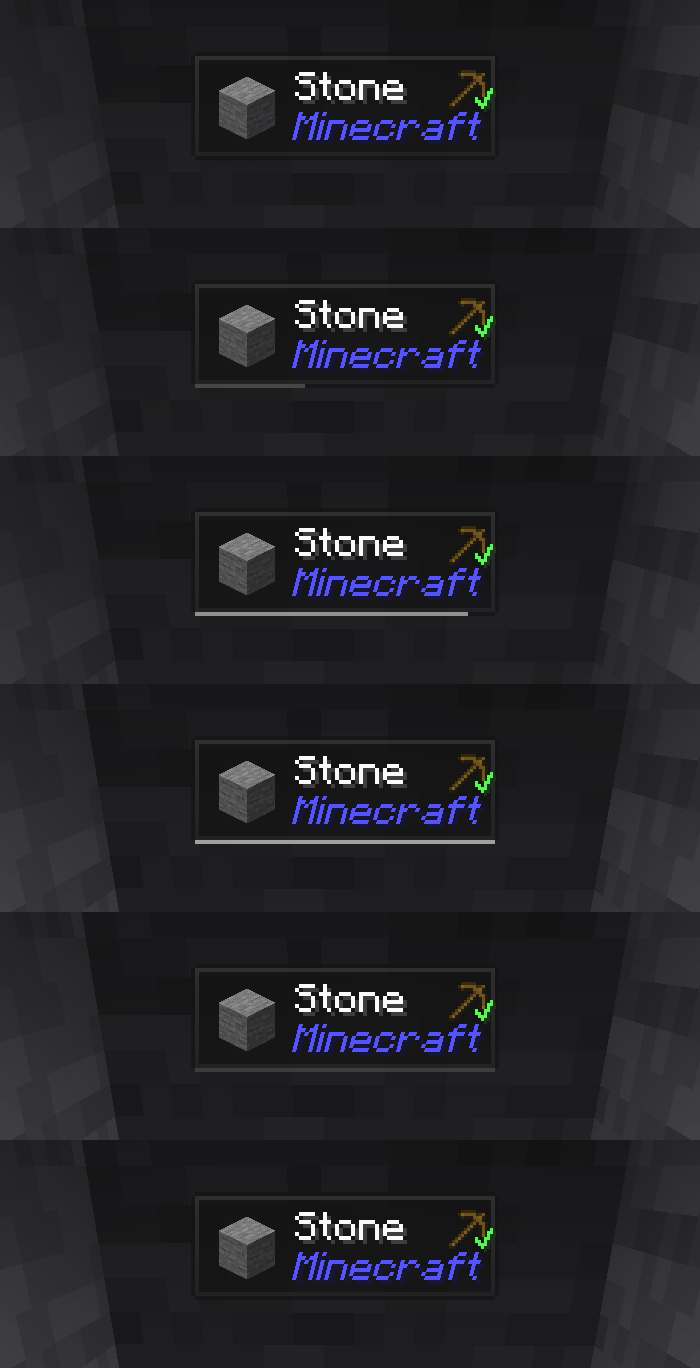
Jade هو مود واجهة عرض المعلومات - Hwyla/Waila لإصدارات ماينكرافت الحديثة. مصمم لتجربة مستخدم وواجهة برمجية أفضل.
يمكن تثبيت Jade على جانب العميل فقط. لكن العديد من الميزات تتطلب Jade على جانب الخادم. (تخزين العناصر، كمية وقود حامل التخمير، النحل في خلية النحل...)
لتكامل المودات، جرّب Jade Addons: NeoForge Fabric

المفاتيح (الافتراضية):
- Keypad 0: فتح شاشة الإعدادات
- Keypad 1: تبديل الطبقة العلوية
- Keypad 2: تبديل عرض السوائل
- Keypad 3: عرض الوصفات (يتطلب JEI)
- Keypad 4: عرض الاستخدامات (يتطلب JEI)
- Keypad 5: سرد الهدف

تغييرات ملحوظة مقارنة بـ Hwyla:
- إعادة تصميم الواجهة البرمجية
- المزيد من إضافات الفانيلا
- قابلية تكوين أعلى
- إمكانية وصول أفضل
كما هو مطلوب من المشروع الأصلي Hwyla، يستخدم Jade رخصة Creative Commons Attribution-NonCommercial-ShareAlike 4.0 International (CC BY-NC-SA 4.0).
كيفية تثبيت Jade 🔍
With Millida Launcher
Install Millida Launcher
The launcher is free: download it at millida.net/launcher and sign in with any nickname.
Click “Install” on this page
The launcher opens and installs the mod for Minecraft 1.16–26.3 on Fabric, Forge, NeoForge or Quilt automatically, together with its dependencies: Fabric API.
Launch the game
A profile with it appears in the launcher: click “Play”.
Manually
Install Fabric, Forge, NeoForge or Quilt
The loader must match the game version of the mod file, for example Minecraft 26.3. After installing it, a separate profile appears in your launcher.
Download the file for your version
In the version list above, pick the file Jade-mc26.3-NeoForge-26.3.5.jar (1.0 MB) for your game version and loader.
Put it in the mods folder
The folder is inside .minecraft (Windows: %appdata%\.minecraft\mods). If it does not exist, create it. Required dependencies go there too: Fabric API.
Launch the loader profile
Open “Mods” in the main menu: Jade 🔍 should be in the list.
On a server
A server on Fabric, Forge, NeoForge or Quilt
The mod only works on a server with the same loader and game version, for example 26.3.
File goes into the server’s mods folder
Stop the server, put the mod file into the mods folder and start the server again.
Use the “To server” button
On Millida Hosting, the button at the top of the page uploads the file to your server and restarts it for you.
الإصدارات
مع المتطلبات
| Minecraft | المشغّل | الملف | التاريخ | الإجراءات |
|---|---|---|---|---|
| 26.1.2 | NeoForge | 26.1.21005 KB 7 | ||
| 26.3 | NeoForge | 26.31 ميغابايت 18 | ||
| 26.3 | Fabric, Quilt | 26.31 ميغابايت 559 | ||
| 26.3 | NeoForge | 26.31 ميغابايت 1 | ||
| 26.3 | Fabric, Quilt | 26.31 ميغابايت | ||
| 26.3 | Fabric, Quilt | 26.31 ميغابايت | ||
| 26.3 | Fabric, Quilt | 26.31 ميغابايت | ||
| 26.3 | NeoForge | 26.31007 KB |
ما يلزم لتشغيله
- Fabric APIمطلوب
- Just Enough Items (JEI)اختياري
محتوى يتطلبه
التقييمات
كن أول من يقيّم Jade 🔍


