

Familiar Fauna مود لماينكرافت 1.12.2
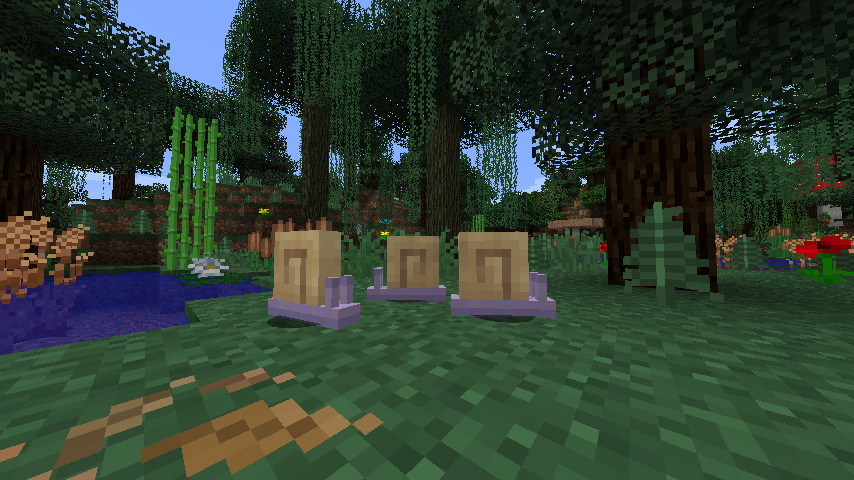
مخلوقات جديدة لتعزيز الأجواء والاستكشاف!
حول مود Familiar Fauna
تم إيقاف FAMILIAR FAUNA اعتبارًا من 6/16/2019 ولن يتلقى تحديثات بعد الآن. لا تتصل بنا بخصوص المود، لأنك ستُتجاهل!
بالإضافة إلى ذلك، ليس لديك إذن لنقل المود أو إعادة استخدام أصوله. لن تحصل على الإذن أبدًا، لذا لا تسألنا.
كيفية تثبيت Familiar Fauna
With Millida Launcher
Install Millida Launcher
The launcher is free: download it at millida.net/launcher and sign in with any nickname.
Click “Install” on this page
The launcher opens and installs the mod for Minecraft 1.12.2 automatically.
Launch the game
A profile with it appears in the launcher: click “Play”.
Manually
Download the file for your version
In the version list above, pick the file FamiliarFauna-1.12.2-1.0.11.jar (373 KB) for your game version.
Put it in the mods folder
The folder is inside .minecraft (Windows: %appdata%\.minecraft\mods). If it does not exist, create it.
Launch the loader profile
Open “Mods” in the main menu: Familiar Fauna should be in the list.
Minecraft 1.12.2 runs on Java 8: with a different Java version the game may close right after launch.
الإصدارات
مع المتطلبات
| Minecraft | المشغّل | الملف | التاريخ | الإجراءات |
|---|---|---|---|---|
| 1.12.2 | — | FamiliarFauna-1.12.2-1.0.11.jar373 KB | ||
| 1.12.2 | — | Familiar Fauna 1.0.2129 KB |
الأسئلة الشائعة
Which Minecraft versions does Familiar Fauna work on?
Only Minecraft 1.12.2: there are no files for other versions.
Which Java does Familiar Fauna need?
Minecraft 1.12.2 runs on Java 8. If the game closes right after launch, the usual cause is the wrong Java version in the profile settings.
Where can I download Familiar Fauna safely?
On this page: the file FamiliarFauna-1.12.2-1.0.11.jar (373 KB) is stored on Millida’s server, with no link shorteners. SHA-1 checksum: e38af1ced9f5ce3f39e87b8cf79241849b52945d.
التقييمات
كن أول من يقيّم Familiar Fauna


