

Create Confectionery مود لماينكرافت 1.20.1, 1.21.1
🍫 أنشئ مصنع الشوكولاتة الخاص بك!
 NeoForge
 Forge
Forgeحول مود Create Confectionery
هذا المود إضافة لـ Create ويضيف طعامًا مصنوعًا من مواد مختلفة. يضيف الكاكاو المسحوق، زبدة الكاكاو، مسحوق الكاكاو، الشوكولاتة البيضاء، الشوكولاتة السوداء، الكراميل، حلوى الشوكولاتة، المارشميلو...
أنا فرنسي وهذا المود تم صنعه باستخدام Mcreator
وصف المود :
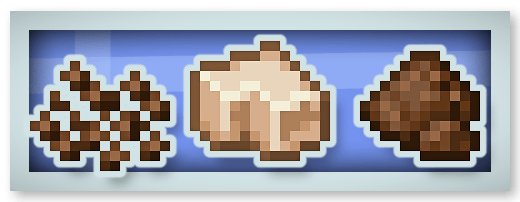
الكاكاو المسحوق وزبدة الكاكاو ومسحوق الكاكاو :
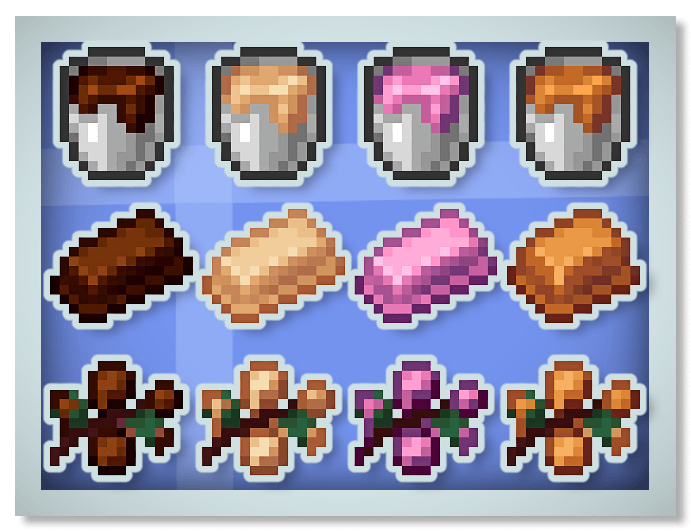
شوكولاتة جديدة (سوداء وبيضاء وياقوتية) وكراميل :
خبز الزنجبيل :
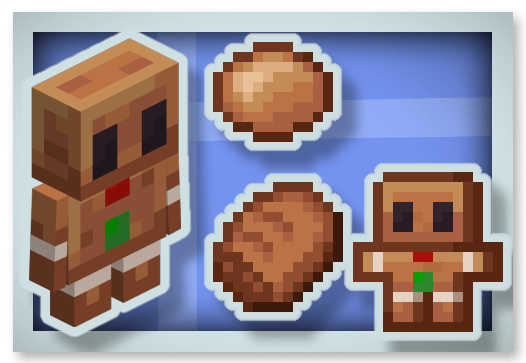
المارشميلو :
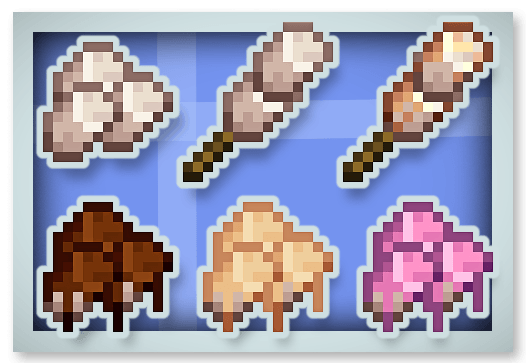
الشوكولاتة الساخنة (تمنح تأثير Regeneration) وحلوى العسل :
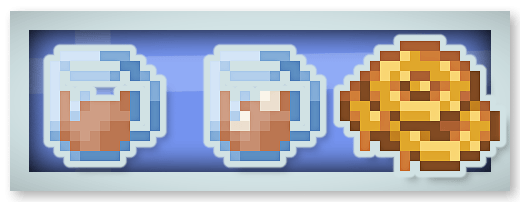
لوح الشوكولاتة الكامل (يمكن أكله 16 مرة ويمنح تأثير Chocolated) :
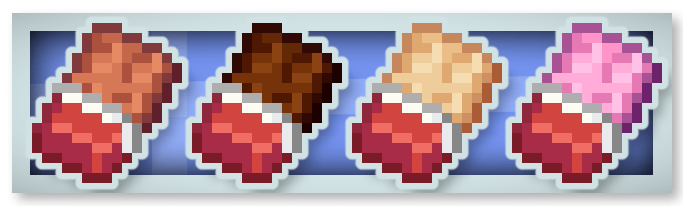
حلوى الشوكولاتة :
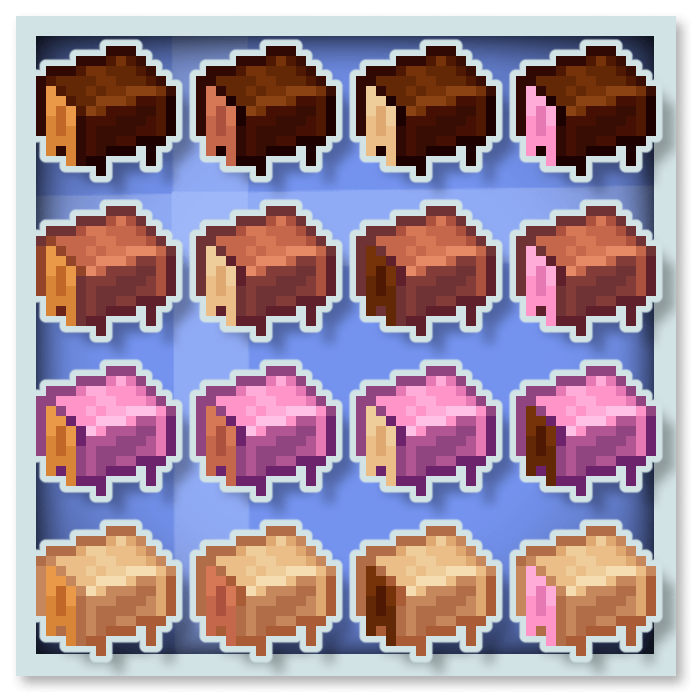
الشوكولاتة تمنح تأثيرات خاصة مثل Stimulation (يزيل تأثيري mining fatigue و slowness) و Rest (يُخفي Phantom من حولك) و Saturation و Speed.
يمكنك وضع هذا المود في مودباك الخاص بك.
يمكنك أيضًا إلقاء نظرة على موداتي الأخرى :









كيفية تثبيت Create Confectionery
With Millida Launcher
Install Millida Launcher
The launcher is free: download it at millida.net/launcher and sign in with any nickname.
Click “Install” on this page
The launcher opens and installs the mod for Minecraft 1.20.1–1.21.1 on Forge or NeoForge automatically.
Launch the game
A profile with it appears in the launcher: click “Play”.
Manually
Install Forge or NeoForge
The loader must match the game version of the mod file, for example Minecraft 1.21.1. After installing it, a separate profile appears in your launcher.
Download the file for your version
In the version list above, pick the file create-confectionery1.21.1_v1.1.3b.jar (2.0 MB) for your game version and loader.
Put it in the mods folder
The folder is inside .minecraft (Windows: %appdata%\.minecraft\mods). If it does not exist, create it.
Launch the loader profile
Open “Mods” in the main menu: Create Confectionery should be in the list.
Minecraft 1.21.1 runs on Java 21: with a different Java version the game may close right after launch.
الإصدارات
مع المتطلبات
| Minecraft | المشغّل | الملف | التاريخ | الإجراءات |
|---|---|---|---|---|
| 1.21.1 | NeoForge | create-confectionery1.21.1_v1.1.3b.jar2 ميغابايت 141 | ||
| 1.20.1 | Forge | create-confectionery1.20.1_v1.1.3.jar2 ميغابايت 56 |
الأسئلة الشائعة
Which Minecraft versions does Create Confectionery work on?
There are files for 1.21.1, 1.20.1. The newest is 1.21.1.
Is Create Confectionery for Forge or Fabric?
There are files for Forge: 1.20.1 and for NeoForge: 1.21.1. There are no files for Fabric: a mod for another loader will not start.
Does Create Confectionery need other mods?
The author lists no required dependencies: the Forge or NeoForge loader is enough.
Which Java does Create Confectionery need?
Minecraft 1.21.1 runs on Java 21. If the game closes right after launch, the usual cause is the wrong Java version in the profile settings.
Where can I download Create Confectionery safely?
On this page: the file create-confectionery1.21.1_v1.1.3b.jar (2.0 MB) is stored on Millida’s server, with no link shorteners. SHA-1 checksum: 47e235efa862c5cbea53fdf8346d4c499674defa.
التقييمات
كن أول من يقيّم Create Confectionery


