
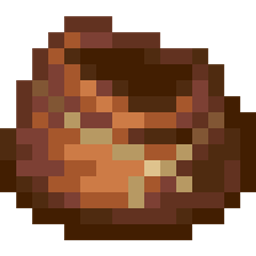
Bundle Jumble مود لماينكرافت 1.21
ضع الكتل من حزمتك بشكل عشوائي للمساعدة في البناء
 Fabric
 Quilt
QuiltAbout
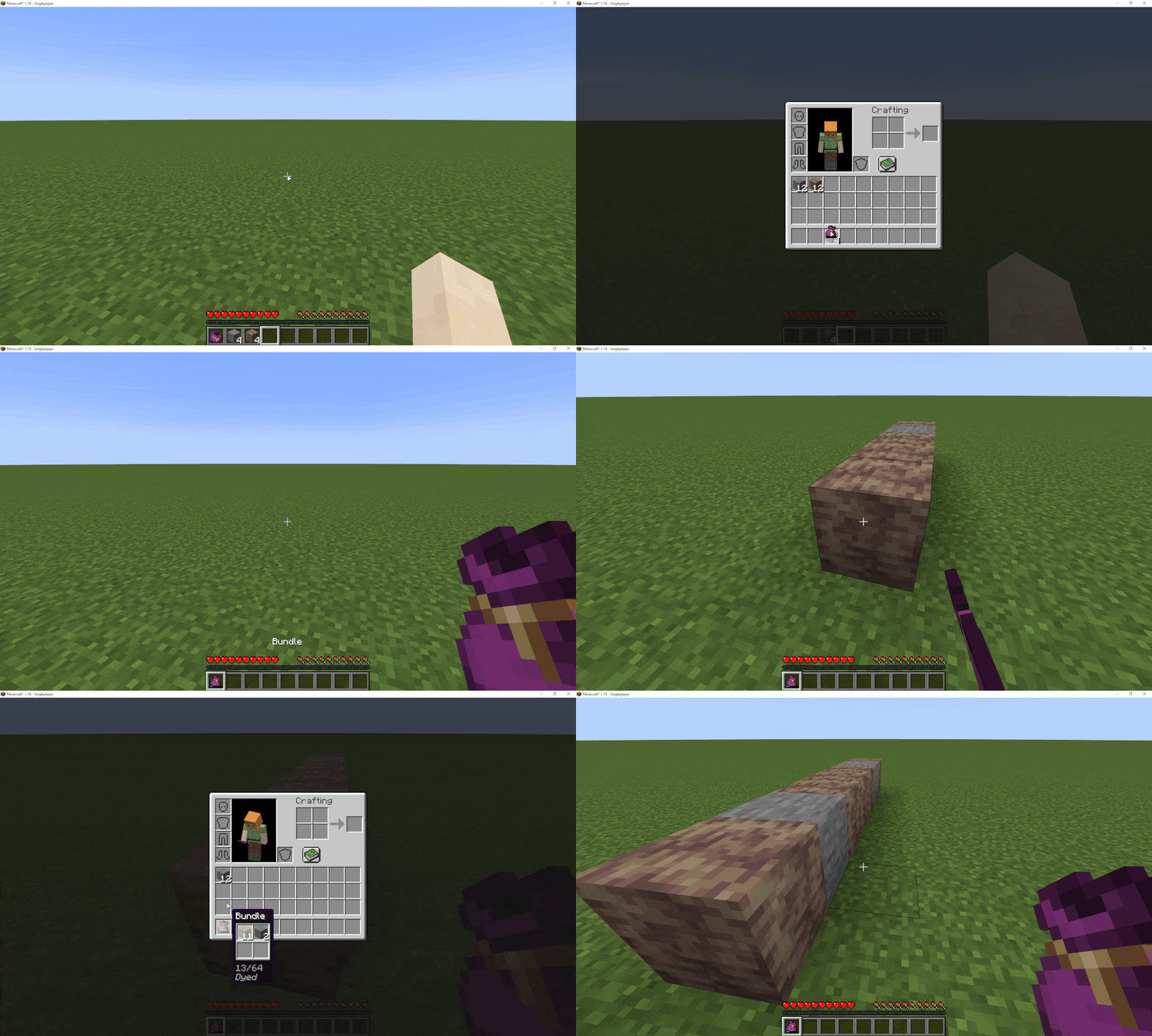
This mod was inspired by the video 'The Potential of Bundles and Archaeology' from Minecraft Ideas Academy. It gives you the ability to place random blocks from inside your bundle, which makes it a nice building tool. Now you can also colour you bundle using the same system leather armor uses, so you can tell them easier apart. Lastly I've made some other quality of life changes relating to the bundle as well, which are specified under 'Features'.
Features
- Right-clicking with a bundle will place a random block from the bundle
- Throwing out all items now requires holding shift
- If your bundle runs out of a block, it checks your inventory if you have more of that item and automatically refills your bundle
- If that's not the case, you'll get a message saying, you've run out of that block
- Bundle can now be recoloured with near infinite colour combinations using the vanilla colouring system
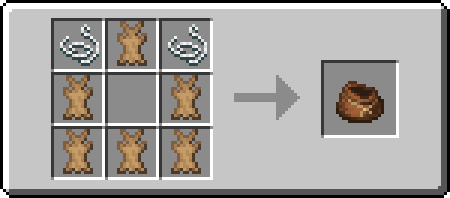
- Adds a recipe for the bundle, using either leather or rabbit hide
- Rabbits now have the possibility to get up to 3 babies when breeding them, making it easier to get rabbit hide (You monster!)
- Readded the bundle to the creative inventory under 'Tools'
Future Plans
- Compatibility with 'Cauldron Dyeing'
- Making bundles spawn in loot chests
كيفية تثبيت Bundle Jumble
With Millida Launcher
Install Millida Launcher
The launcher is free: download it at millida.net/launcher and sign in with any nickname.
Click “Install” on this page
The launcher opens and installs the mod for Minecraft 1.21 on Fabric or Quilt automatically.
Launch the game
A profile with it appears in the launcher: click “Play”.
Manually
Install Fabric or Quilt
The loader must match the game version of the mod file, for example Minecraft 1.21. After installing it, a separate profile appears in your launcher.
Download the file for your version
In the version list above, pick the file bundle_jumble-1.0.2-mc1.21.jar (32 KB) for your game version and loader.
Put it in the mods folder
The folder is inside .minecraft (Windows: %appdata%\.minecraft\mods). If it does not exist, create it.
Launch the loader profile
Open “Mods” in the main menu: Bundle Jumble should be in the list.
Minecraft 1.21 runs on Java 21: with a different Java version the game may close right after launch.
الإصدارات
مع المتطلبات
| Minecraft | المشغّل | الملف | التاريخ | الإجراءات |
|---|---|---|---|---|
| 1.21 | Fabric, Quilt | 1.0.2-mc1.2132.4 KB |
الأسئلة الشائعة
Which Minecraft versions does Bundle Jumble work on?
Only Minecraft 1.21: there are no files for other versions.
Is Bundle Jumble for Forge or Fabric?
There are files for Fabric: 1.21 and for Quilt: 1.21. There are no files for Forge or NeoForge: a mod for another loader will not start.
Does Bundle Jumble need other mods?
The author lists no required dependencies: the Fabric or Quilt loader is enough.
Which Java does Bundle Jumble need?
Minecraft 1.21 runs on Java 21. If the game closes right after launch, the usual cause is the wrong Java version in the profile settings.
Where can I download Bundle Jumble safely?
On this page: the file bundle_jumble-1.0.2-mc1.21.jar (32 KB) is stored on Millida’s server, with no link shorteners. SHA-1 checksum: aabe0d3667f4d7e44e89e37eda2404f3bfd3307b.
التقييمات
كن أول من يقيّم Bundle Jumble


