
Blur مود لماينكرافت 1.16.5
يضيف تأثير ضباب إلى جميع خلفيات واجهة اللعبة
 Forge
Forge Fabric
حول مود Blur
هل فكرت يومًا أن العالم خلف مخزونك كان مشتتًا للانتباه أكثر من اللازم؟ إذن هذا هو المود المناسب لك!
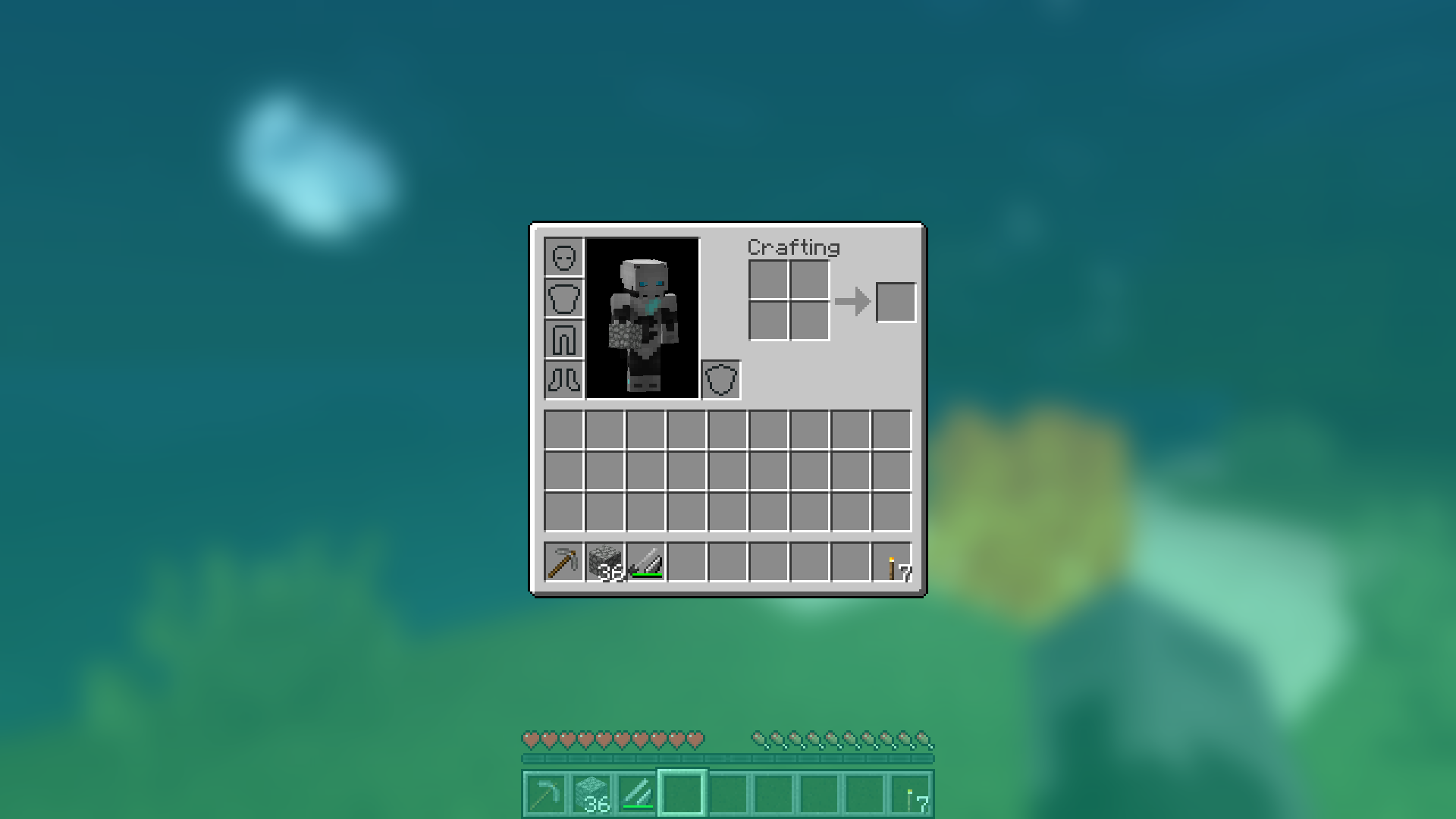
يضيف Blur تأثير ضبابي غاوسي إلى خلفية جميع واجهات الرسومية، والذي يتلاشى ليمنحها مظهرًا أنيقًا. كما أنه قابل للتخصيص بشكل كبير، بحيث يمكنك ضبط مظهر المود حسب رغبتك. انقر هنا لمشاهدة عرض توضيحي ضخم بصيغة gif!
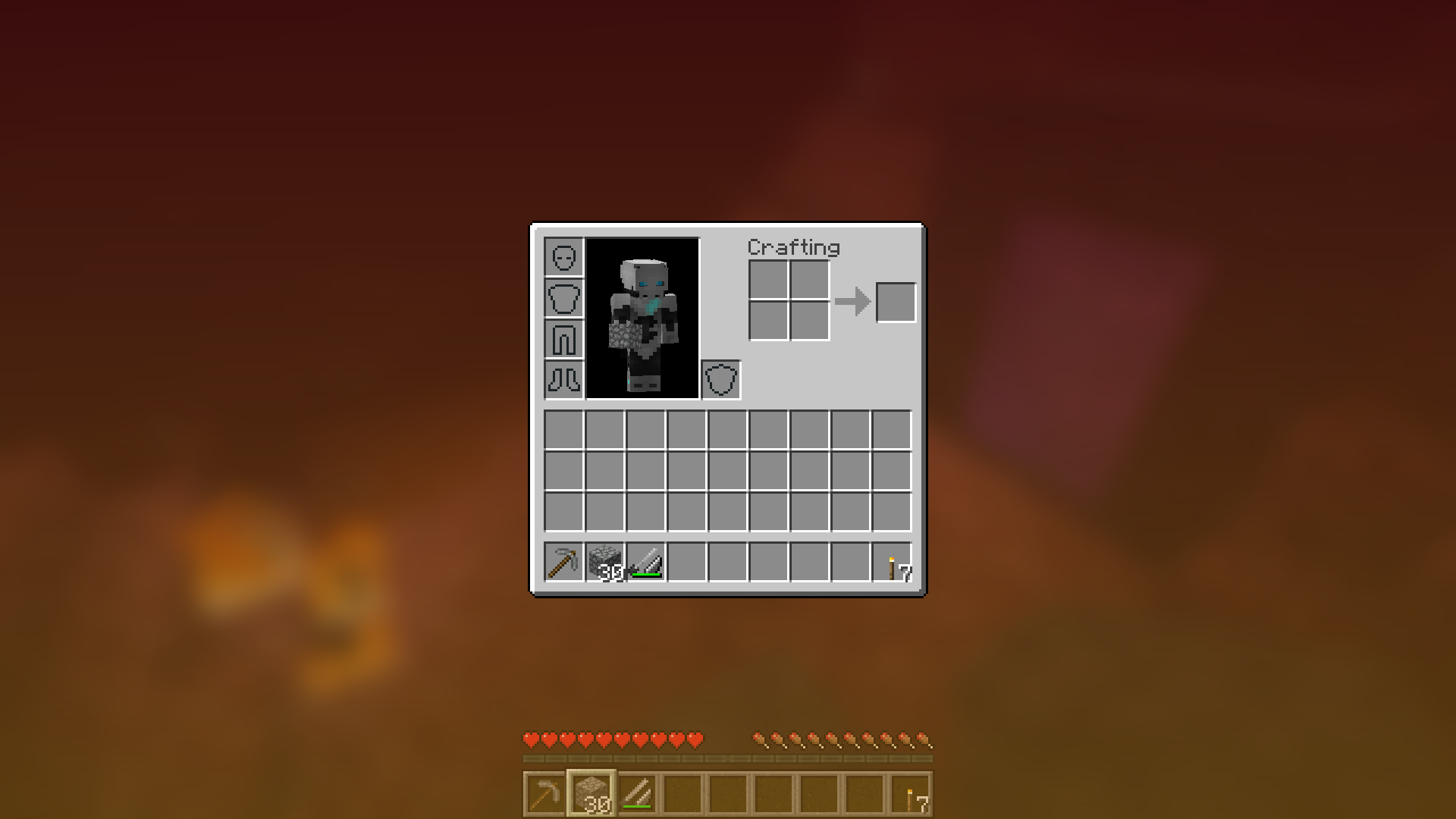
ملاحظة: إصدارات لقطات 1.14 تتطلب Fabric.
يمكنك ضبط قوة الضبابية في ملف الإعدادات عبر خيار "radius".
إليك عرض توضيحي لبعض أنصاف الأقطار المختلفة:
غيّر ألوان الخلفية والتدرج اللوني!
توه في واجهاتك الرسومية!
أمسية ممطرة رائعة معك ومع ضبابيتك:
يعمل مع Shaders!
شرح إعدادات التكوين
- radius
- كما هو موضح أعلاه، يتحكم هذا في مدى "قوة" الضبابية. إذا كنت تواجه مشاكل في الأداء، فخفّض هذه القيمة.
- fadeTime
- هذا هو الوقت الذي تستغرقه الضبابية لـ "التلاشي للداخل"، بالمللي ثانية.
- gradientStart/EndColor
- الألوان المستخدمة للطبقة العلوية على جميع خلفيات الواجهات الرسومية. القيمة هنا هي قيمة لون سداسية عشرية، بصيغة ARGB (ألفا أولاً، ثم rgb). ولأن الخلفية عبارة عن تدرج لوني، يمكن تحديد لونين. القيمة الافتراضية هي الأسود بقيمة ألفا 45% (75000000).
- guiExclusions
- قائمة بالفئات التي سيتم استثناؤها من تأثير الضبابية. يُستخدم هذا للواجهات الرسومية التي لا تغطي الشاشة بالضرورة. القيمة الافتراضية هي احتواؤها على واجهة رسومية واحدة فقط، وهي الدردشة.
كيفية تثبيت Blur
With Millida Launcher
Install Millida Launcher
The launcher is free: download it at millida.net/launcher and sign in with any nickname.
Click “Install” on this page
The launcher opens and installs the mod for Minecraft 1.8.9–1.16.5 on Fabric or Forge automatically.
Launch the game
A profile with it appears in the launcher: click “Play”.
Manually
Install Fabric or Forge
The loader must match the game version of the mod file, for example Minecraft 1.16.5. After installing it, a separate profile appears in your launcher.
Download the file for your version
In the version list above, pick the file Blur-1.1.0-1.jar (358 KB) for your game version and loader.
Put it in the mods folder
The folder is inside .minecraft (Windows: %appdata%\.minecraft\mods). If it does not exist, create it.
Launch the loader profile
Open “Mods” in the main menu: Blur should be in the list.
Minecraft 1.16.5 runs on Java 8: with a different Java version the game may close right after launch.
الإصدارات
مع المتطلبات
| Minecraft | المشغّل | الملف | التاريخ | الإجراءات |
|---|---|---|---|---|
| 1.14.4 | Forge | Blur - 1.1.0-1358 KB | ||
| 1.14.4 | Fabric | Blur 1.0.5 [Fabric]201 KB 2 | ||
| 1.8.9 | — | Blur 1.0.4 [1.8.9]16 KB | ||
| — | — | Blur 1.0.4 [Fabric]200 KB 2 |
الأسئلة الشائعة
Which Minecraft versions does Blur work on?
There are files for 1.16.5, 1.15.1, 1.14.4, 1.8.9. The newest is 1.16.5.
Is Blur for Forge or Fabric?
There are files for Fabric: 1.14.4 and for Forge: 1.14.4–1.16.5. There are no files for NeoForge: a mod for another loader will not start.
Does Blur need other mods?
The author lists no required dependencies: the Fabric or Forge loader is enough.
Which Java does Blur need?
Minecraft 1.16.5 runs on Java 8. If the game closes right after launch, the usual cause is the wrong Java version in the profile settings.
Where can I download Blur safely?
On this page: the file Blur-1.1.0-1.jar (358 KB) is stored on Millida’s server, with no link shorteners. SHA-1 checksum: eba362692f92c7c8e069cb0c5073f13fc479a251.
التقييمات
كن أول من يقيّم Blur


