

- تنزيلات
- 12 تنزيلات
- مشاهدة
- 43 مشاهدة
- محدّث
- محدّث 24.10.2026
- 1.16.4 — 26.3
 Fabric
حول مود Blockus
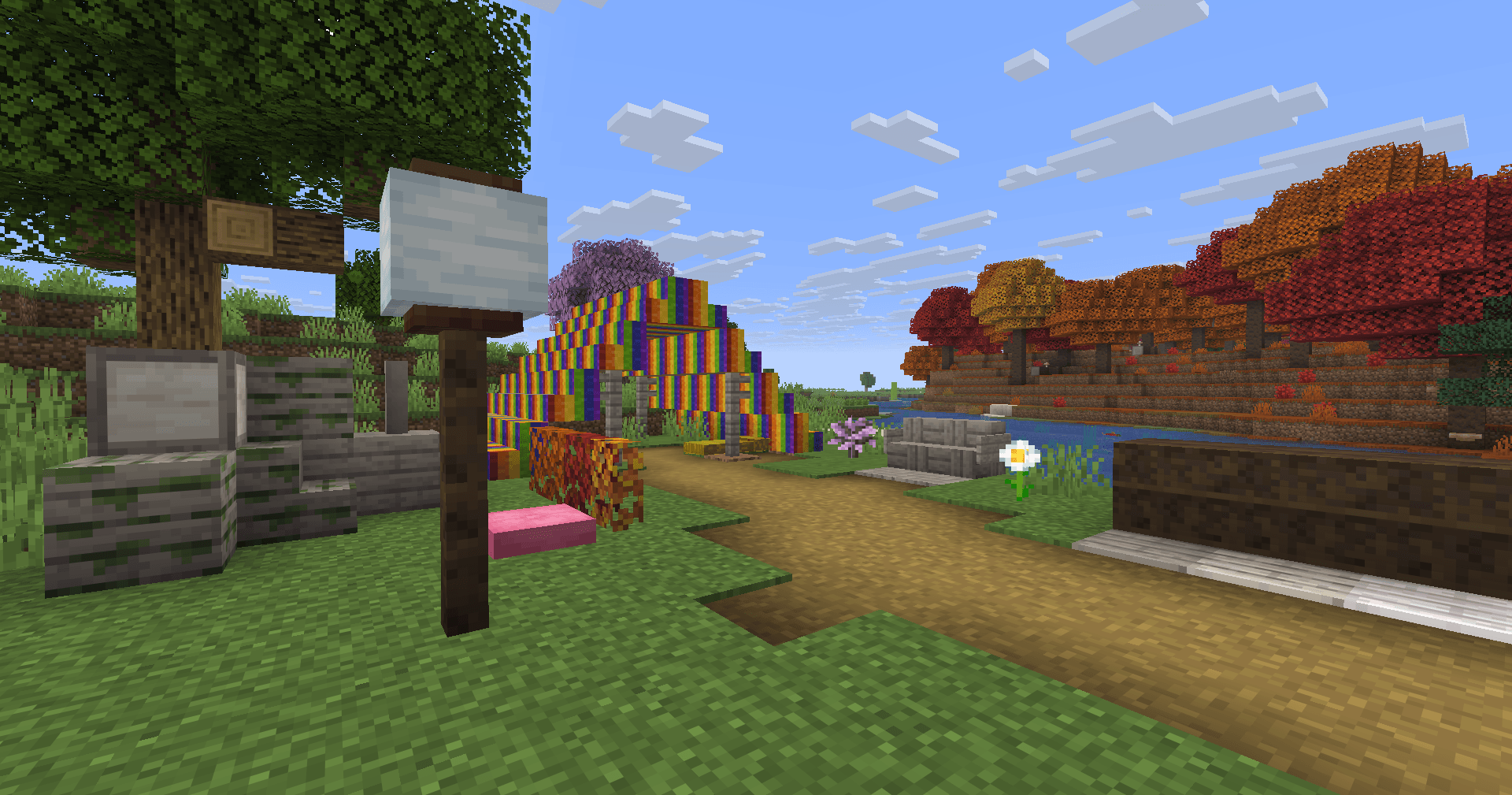
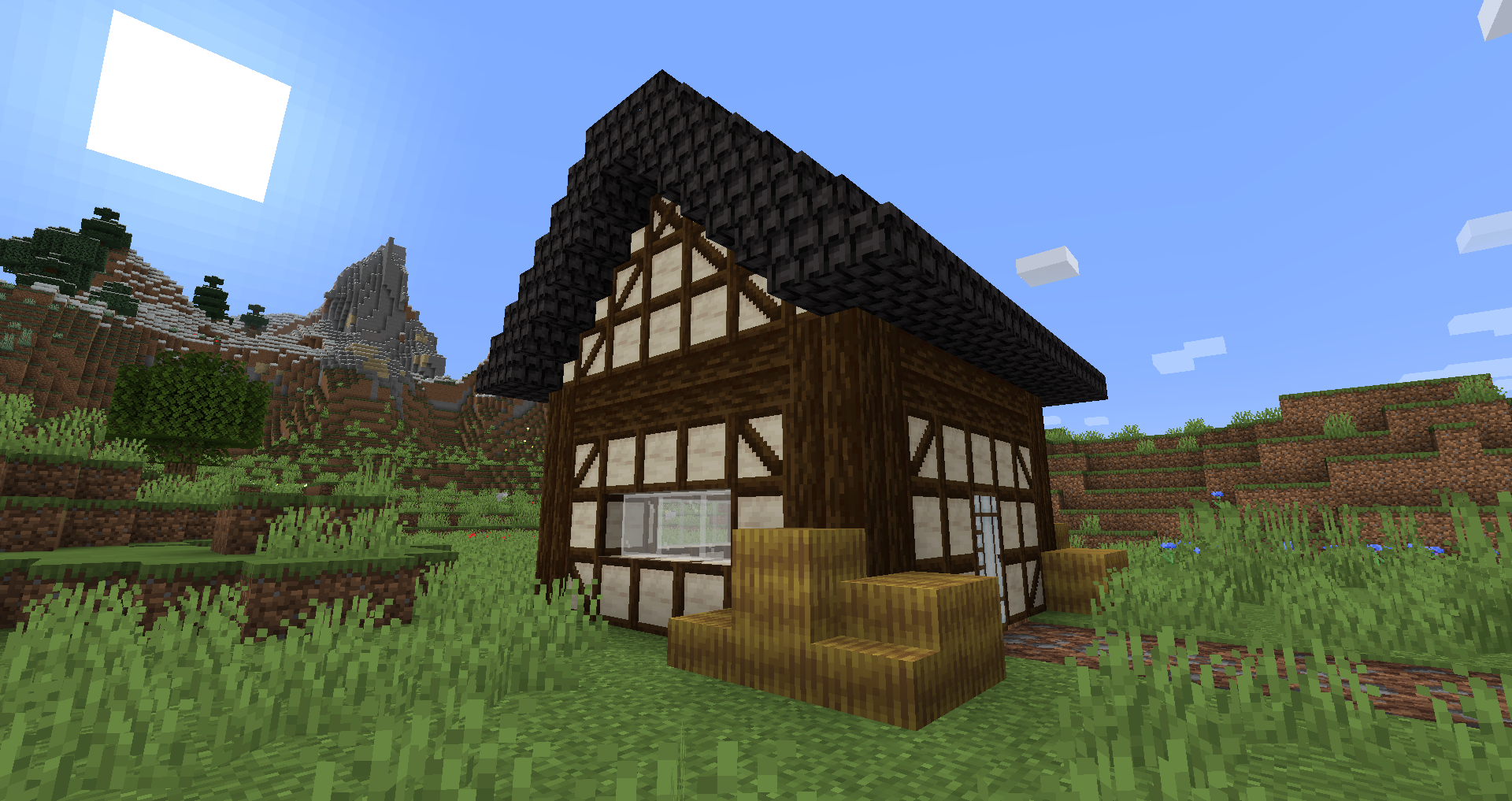
Blockus هو مود مصنوع باستخدام Fabric API. يضيف كتلًا من عدة أنواع.
معظم الكتل تتطلب منشار حجري لصنعها. أنصح باستخدام مود مثل Roughly Enough Items (REI) لجميع الوصفات.
دعم NeoForge غير مخطط له حاليًا. يمكنك استخدام Sinytra Connector لدعم NeoForge.
بعض الكتل المضافة:
- Marble، Limestone، Bluestone و Viridite
- White Oak، Raw Bamboo و Charred Planks
- أصص زهور كبيرة
- Lava، Magma، Water، Blaze، Soaked Bricks والمزيد
- Soul Sandstone
- Teal و Charred Nether Bricks
- بلاطات ملونة
- Stained Stone Bricks
- مصابيح Redstone الملونة
- Beveled Glass
- Patterned Wools
- Futurneo Blocks
- Asphalt الذي يجعلك تتحرك بسرعة
- Redstone Sand
- Paper Block، Wall و Lamp
- Hedges
- Rainbow Blocks
- Food Crates
- Legacy Blocks
- تكامل Columns (أقل من 1.19)
أشياء تتولد طبيعيًا
- Limestone يتولد بين y = 0 و y = 128 لكن بكمية أقل بكثير بين y = 64 و y = 128
- Marble يتولد بين y = 0 و y = 64
- Bluestone يتولد تحت y = 0
- Viridite يتولد تحت y = -16 وبشكل أكثر تكرارًا في Deep Dark.
- White Oak يتولد في Forest، Dark Forest، Flower Forest، Cherry Groves و Plains.
- Fallen White Oak يتولد في Forest، Flower Forest و Plains.
- Rainbow Roses تظهر في Flower Forests و Meadows
شكرًا إلى:
- Futurenp: Textures
- SynthRose: Teal Nether Bricks و Lantern Blocks (مع الملمس القديم)
- shedaniel/TelepathicGrunt: توليد العالم الجديد 1.16.2+
- YanisBft: إصلاح Wooden Barrels
إلهامات المودات:
- "Quark" بواسطة Vazkii
- "Chisel" بواسطة tterrag1098، Drullkus و Minecreatr
- "Ceramics" بواسطة KnightMiner (Rainbow Bricks)
الوصف بالفرنسية/Description française : https://www.minecraft-france.fr/mod-blockus/
كيفية تثبيت Blockus
With Millida Launcher
Install Millida Launcher
The launcher is free: download it at millida.net/launcher and sign in with any nickname.
Click “Install” on this page
The launcher opens and installs the mod for Minecraft 1.16.4–26.3 on Fabric automatically.
Launch the game
A profile with it appears in the launcher: click “Play”.
Manually
Install Fabric
The loader must match the game version of the mod file, for example Minecraft 26.3. After installing it, a separate profile appears in your launcher.
Download the file for your version
In the version list above, pick the file blockus-2.18.1+26.3.jar (7.0 MB) for your game version.
Put it in the mods folder
The folder is inside .minecraft (Windows: %appdata%\.minecraft\mods). If it does not exist, create it.
Launch the loader profile
Open “Mods” in the main menu: Blockus should be in the list.
الإصدارات
مع المتطلبات
| Minecraft | المشغّل | الملف | التاريخ | الإجراءات |
|---|---|---|---|---|
| 26.3 | Fabric | (26.3) Blockus 2.18.1+26.37 ميغابايت 11 | ||
| — | Fabric | (1.18-pre5) blockus-2.3.1+1.18-pre53.9 ميغابايت 1 | ||
| 1.16.4 | — | (1.16.4) blockus - 2.0.1+1.16.42.6 ميغابايت | ||
| — | — | (1.14-pre4) blockus - 1.1.61 ميغابايت |
الأسئلة الشائعة
Which Minecraft versions does Blockus work on?
There are files for 26.3, 1.16.4. The newest is 26.3.
Is Blockus for Forge or Fabric?
Only for Fabric: 26.3. There are no files for Forge or NeoForge: a mod for another loader will not start.
Does Blockus need other mods?
The author lists no required dependencies: the Fabric loader is enough.
Where can I download Blockus safely?
On this page: the file blockus-2.18.1+26.3.jar (7.0 MB) is stored on Millida’s server, with no link shorteners. SHA-1 checksum: c1224f3cf99055107d695f6690b0871cc9f6dd47.
التقييمات
كن أول من يقيّم Blockus


