

Better Mods Button لماينكرافت 1.21.1, 1.19.2
زر المودات الخاص بك، بطريقتك. حيث تريده، وكيف تريده!
 NeoForge
 Forge
Forgeحول مود Better Mods Button
 
📖 نبذة:
يعيد Better Mods Button زر المودات إلى شاشة الإيقاف المؤقت كما كان في إصدارات Forge السابقة لـ Minecraft 1.13، بحيث يمكن استخدامه للوصول بسهولة إلى إعدادات المودات داخل اللعبة (عند توفرها).
وكميزة إضافية، هناك خيارات وفيرة لتحديد مكان وكيفية عرض زر المودات على الشاشة (مستوحاة بشكل كبير من Mod Menu). كما يدعم عرض العدد الإجمالي للمودات، بالإضافة إلى تبديل رمز إشعار التحديث.
📷 الوسائط:
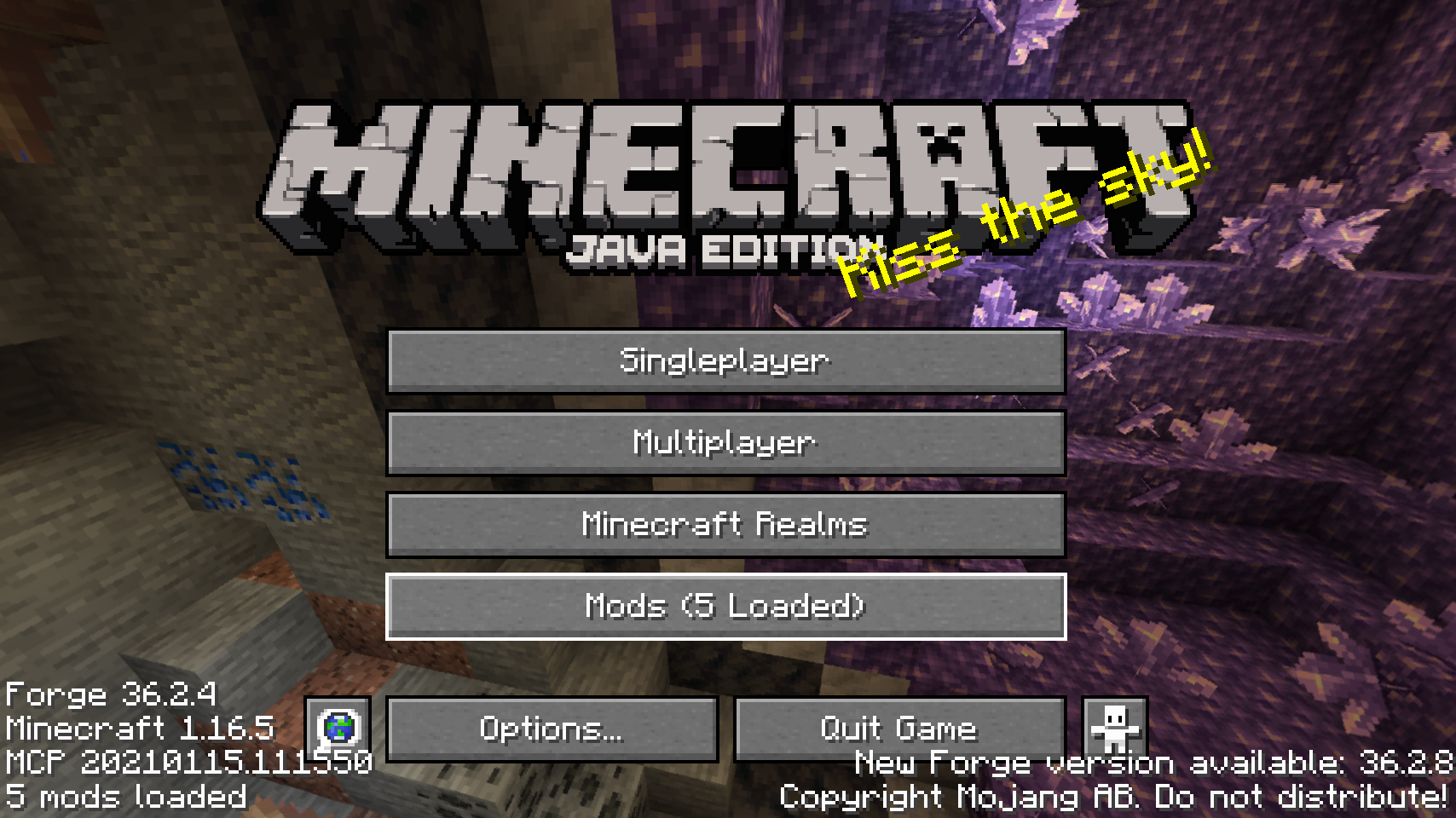
  
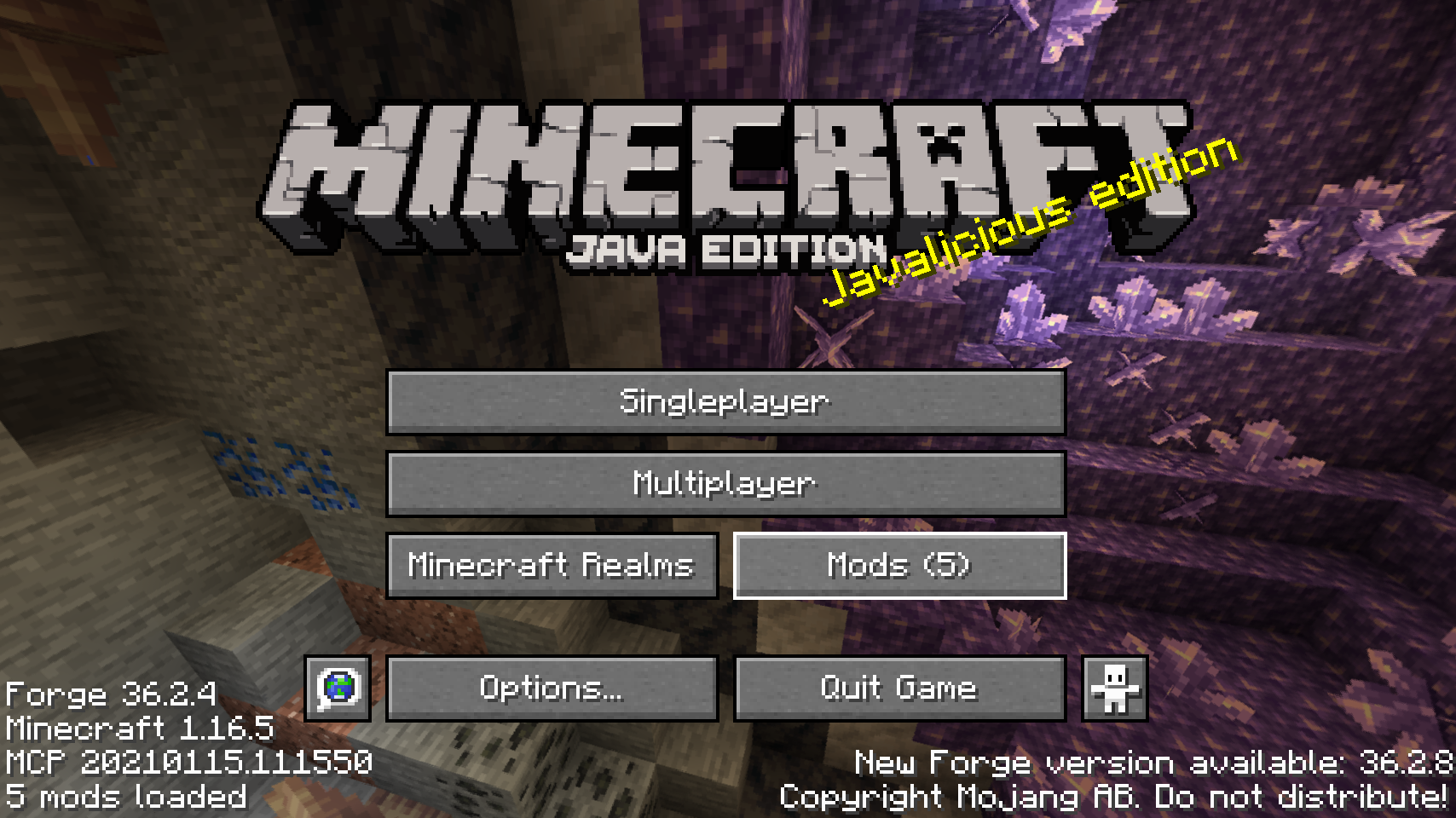
زر المودات الافتراضي على شاشة العنوان    أحد المواضع البديلة لزر المودات
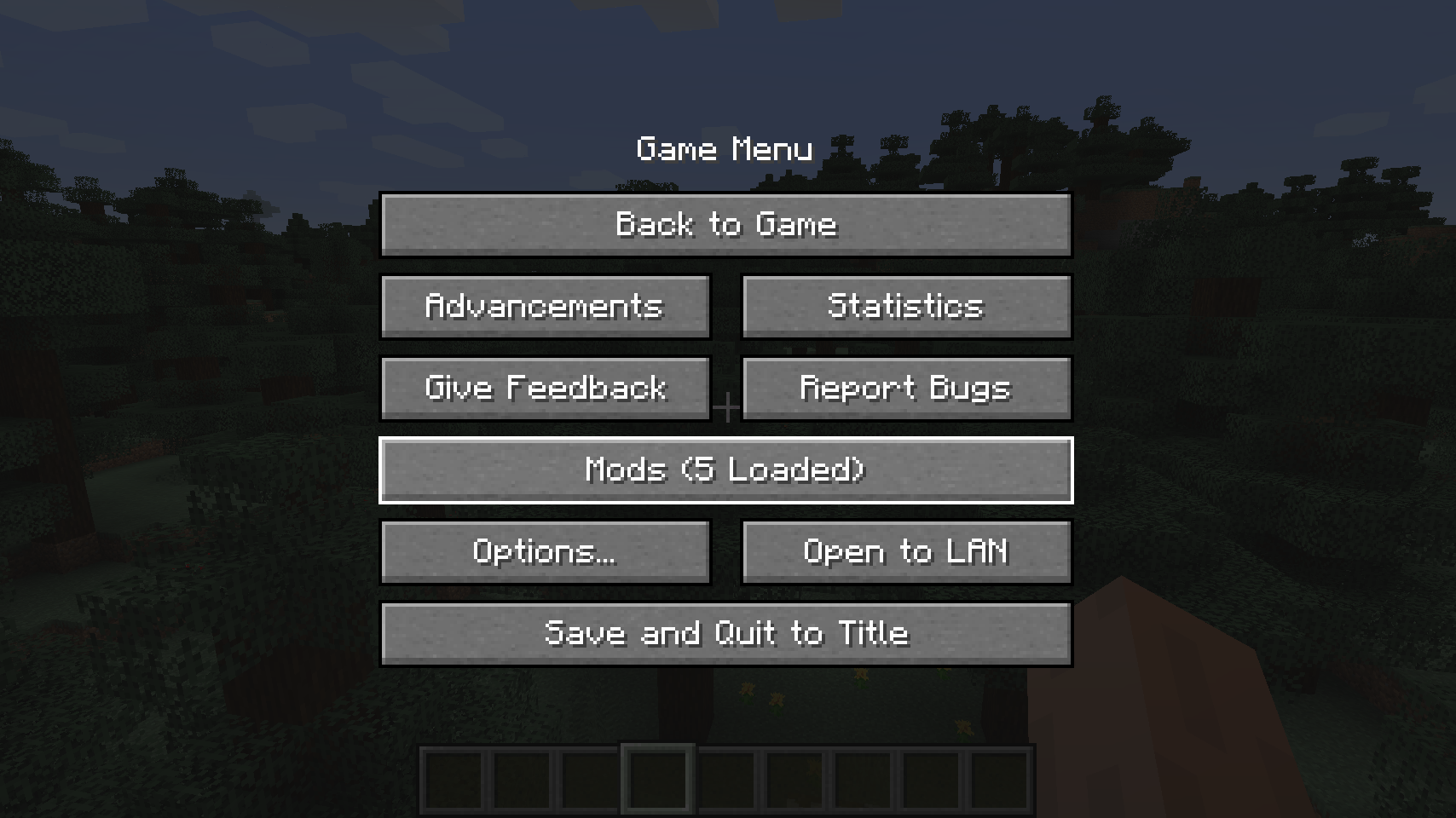
  
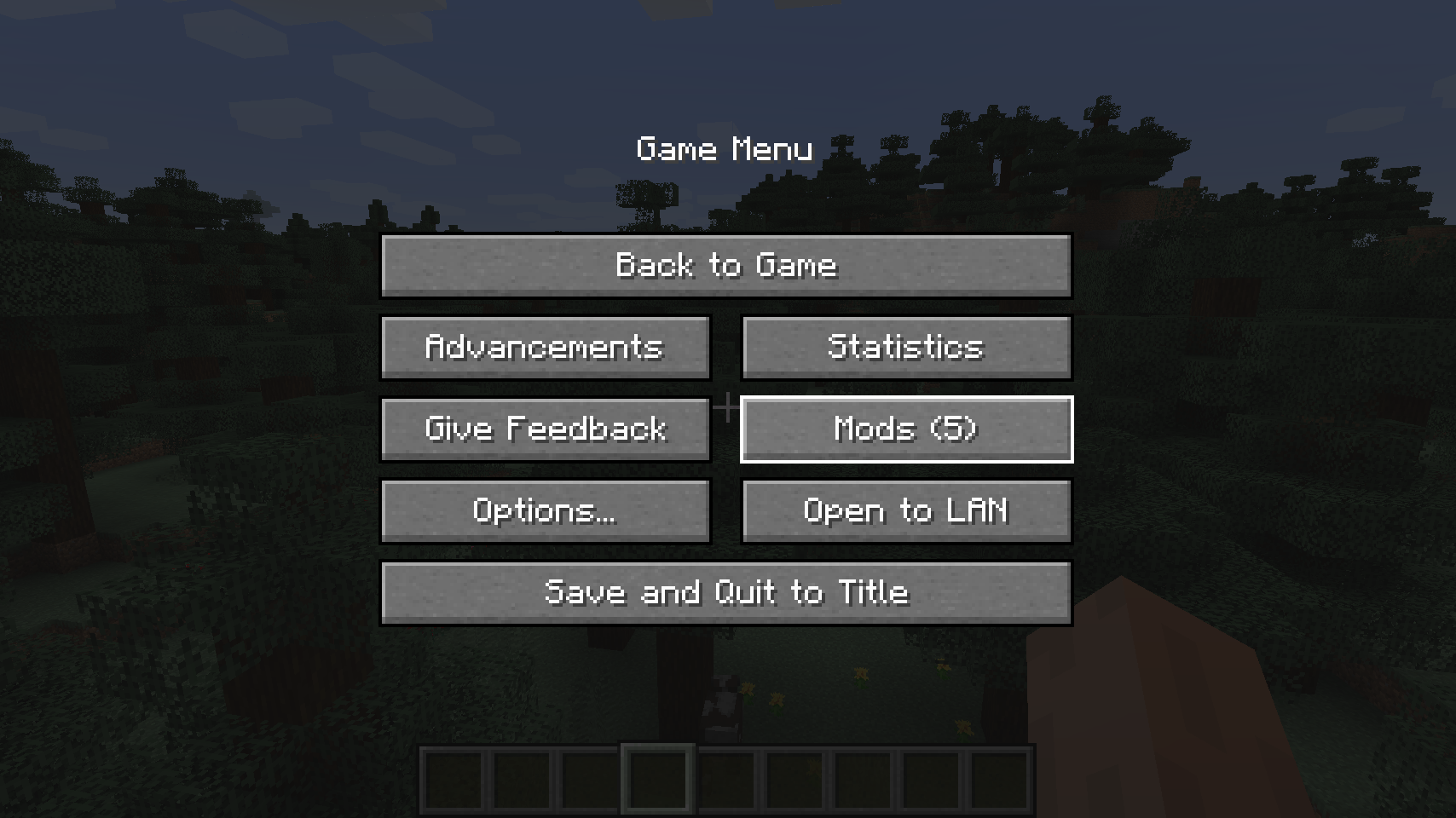
زر المودات الافتراضي على قائمة الإيقاف المؤقت    موضع بديل لشاشة الإيقاف المؤقت

  
موضع بديل آخر لزر شاشة الإيقاف المؤقت   
💡 الأسئلة الشائعة:
س: كيف أضبط هذا المود؟ ج: ثبّت مود Config Menus for Forge الخاص بي وقم بذلك مباشرة داخل اللعبة!
س: ماذا عن نسخة Fabric؟ ج: استخدم Mod Menu من ProspectorDev بدلاً من ذلك.
🏆 الشكر والتقدير:
تطوير Better Mods Button تلقّى المساعدة والإلهام من:
- ProspectorDev لإلهامه معظم خيارات الضبط لهذا المود من خلال مود Mod Menu الخاص به


كيفية تثبيت Better Mods Button
With Millida Launcher
Install Millida Launcher
The launcher is free: download it at millida.net/launcher and sign in with any nickname.
Click “Install” on this page
The launcher opens and installs the mod for Minecraft 1.18.2–26.1.2 on Forge or NeoForge automatically.
Launch the game
A profile with it appears in the launcher: click “Play”.
Manually
Install Forge or NeoForge
The loader must match the game version of the mod file, for example Minecraft 26.1.2. After installing it, a separate profile appears in your launcher.
Download the file for your version
In the version list above, pick the file bettermodsbutton-v26.1.2-mc26.1.x+neoforge.jar (55 KB) for your game version and loader.
Put it in the mods folder
The folder is inside .minecraft (Windows: %appdata%\.minecraft\mods). If it does not exist, create it.
Launch the loader profile
Open “Mods” in the main menu: Better Mods Button should be in the list.
Better Mods Button works on the player’s side only: there is no need to install it on a server.
الإصدارات
مع المتطلبات
| Minecraft | المشغّل | الملف | التاريخ | الإجراءات |
|---|---|---|---|---|
| 1.21.1 | NeoForge | 1.21.165.1 KB | ||
| 1.21.1 | Forge | 1.21.161.8 KB | ||
| 26.1.2 | NeoForge | 26.1.255.1 KB | ||
| 26.1 | NeoForge | 26.155 KB | — | |
| 1.21.11 | NeoForge | 1.21.1147.3 KB | — | |
| 1.21 | NeoForge | 1.2159.6 KB | — | |
| 1.19.2 | Forge | 1.19.256.1 KB | — | |
| 1.18.2 | Forge | 1.18.254.8 KB | — |
الأسئلة الشائعة
Which Minecraft versions does Better Mods Button work on?
There are files for 1.18.2–26.1.2, 8 versions in total. The newest is 26.1.2.
Is Better Mods Button for Forge or Fabric?
There are files for Forge: 1.18.2–1.21.1 and for NeoForge: 1.21–26.1.2. There are no files for Fabric: a mod for another loader will not start.
Does Better Mods Button need other mods?
The author lists no required dependencies: the Forge or NeoForge loader is enough.
Do I need to install Better Mods Button on a server?
No. Better Mods Button works on the player’s side only: there is no need to install it on a server.
Where can I download Better Mods Button safely?
On this page: the file bettermodsbutton-v26.1.2-mc26.1.x+neoforge.jar (55 KB) is stored on Millida’s server, with no link shorteners. SHA-1 checksum: 2a9bcf56e9964467e42d2af97db2c5c9be895bee.
التقييمات
كن أول من يقيّم Better Mods Button


