
Advanced Mining Dimension مود لماينكرافت 1.20.1, 1.16.5
يضيف بُعدًا يتكون فقط من الكهوف
 NeoForge
 Forge
Forgeالأسئلة الشائعة | الشكر
يضيف هذا المود بُعدًا قابلًا للتخصيص بشكل كبير لا يتكون إلا من الكهوف.
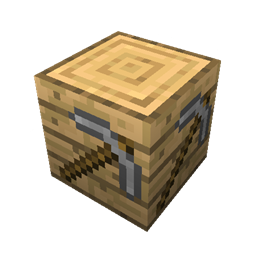
لا يتطلب إنشاء جهاز النقل سوى موارد أساسية جدًا لجعله متاحًا في وقت مبكر جدًا من اللعبة.
جهاز النقل
جهاز النقل هو بوابتك إلى بُعد التعدين.
ما عليك سوى وضعه والنقر عليه بزر الفأرة الأيمن.
الإعدادات (1.16.2 وما فوق)
بسبب التغييرات في Minecraft 1.16، عليك إنشاء حزمة بيانات لتعديل البُعد نفسه. يمكن العثور على حزم بيانات نموذجية هنا.
بُعد العالم العادي البُعد الذي يمكنك الانتقال منه إلى بُعد التعدين والعودة
إظهار تحذير العالم المخصص ما إذا كان يجب أن تعرض اللعبة تحذير العالم المخصص عند تحميل عالم
الإعدادات (1.15.2 وما دون)
نسبة الكهوف كمية الكهوف المُنشأة
نسبة الأخاديد كمية الأخاديد المُنشأة
بحيرات الحمم ما إذا كان يجب إنشاء بحيرات الحمم
الموزعات ما إذا كان يجب إنشاء الأقبية مع الموزعات
أنواع الحجر ما إذا كان يجب إنشاء أنواع الحجر المختلفة
الخامات ما إذا كان يجب إنشاء الخامات
الحمم ما إذا كان يجب إنشاء الحمم في الكهوف تحت المستوى 11
كيفية تثبيت Advanced Mining Dimension
With Millida Launcher
Install Millida Launcher
The launcher is free: download it at millida.net/launcher and sign in with any nickname.
Click “Install” on this page
The launcher opens and installs the mod for Minecraft 1.14.4–1.20.4 on Forge or NeoForge automatically.
Launch the game
A profile with it appears in the launcher: click “Play”.
Manually
Install Forge or NeoForge
The loader must match the game version of the mod file, for example Minecraft 1.20.4. After installing it, a separate profile appears in your launcher.
Download the file for your version
In the version list above, pick the file mining-dimension-neoforge-1.20.4-1.1.1.jar (178 KB) for your game version and loader.
Put it in the mods folder
The folder is inside .minecraft (Windows: %appdata%\.minecraft\mods). If it does not exist, create it.
Launch the loader profile
Open “Mods” in the main menu: Advanced Mining Dimension should be in the list.
Minecraft 1.20.4 runs on Java 17: with a different Java version the game may close right after launch.
الإصدارات
مع المتطلبات
| Minecraft | المشغّل | الملف | التاريخ | الإجراءات |
|---|---|---|---|---|
| 1.20.4 | NeoForge | [NEOFORGE][1.20.4] Advanced Mining Dimension 1.20.4-1.1.1178 KB | ||
| 1.20.1 | Forge | [FORGE][1.20.1] Advanced Mining Dimension 1.20.1-1.1.0182 KB 3 | ||
| 1.20.4 | NeoForge | [NEOFORGE][1.20.4] Mining World 1.20.4-1.0.5144 KB | ||
| 1.20.2 | Forge | [1.20.2] Mining World 1.20.2-1.0.4148 KB | ||
| 1.16.5 | Forge | [1.16.5] Mining World 1.16.5-1.0.6135 KB | ||
| 1.14.4 | — | [1.14.4] Mining World 1.14.4-1.0.129.1 KB |
الأسئلة الشائعة
Which Minecraft versions does Advanced Mining Dimension work on?
There are files for 1.20.4, 1.20.2, 1.20.1, 1.16.5, 1.14.4. The newest is 1.20.4.
Is Advanced Mining Dimension for Forge or Fabric?
There are files for Forge: 1.16.5–1.20.2 and for NeoForge: 1.20.4. There are no files for Fabric: a mod for another loader will not start.
Does Advanced Mining Dimension need other mods?
The author lists no required dependencies: the Forge or NeoForge loader is enough.
Which Java does Advanced Mining Dimension need?
Minecraft 1.20.4 runs on Java 17. If the game closes right after launch, the usual cause is the wrong Java version in the profile settings.
Where can I download Advanced Mining Dimension safely?
On this page: the file mining-dimension-neoforge-1.20.4-1.1.1.jar (178 KB) is stored on Millida’s server, with no link shorteners. SHA-1 checksum: e66f4c4b3be0cb3712cd9d4dd551dcb58f52b225.
التقييمات
كن أول من يقيّم Advanced Mining Dimension


