
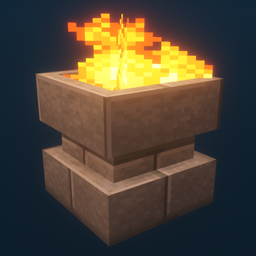
Additional Lights مود لماينكرافت 1.12.2, 26.3
جميع الأنواع الثمانية، نوعان ناريان، أكثر من 200 تنويع.
 Fabric
 NeoForge
 Forge
Forgeحول مود Additional Lights
الوصف:
يضيف هذا المود أكثر من 200 تنويع إضاءة عبر 6 أنواع، مع نسخ من النار ونار الروح والضوء لبعض الإضاءات المختارة.
التحديثات:
v3.1
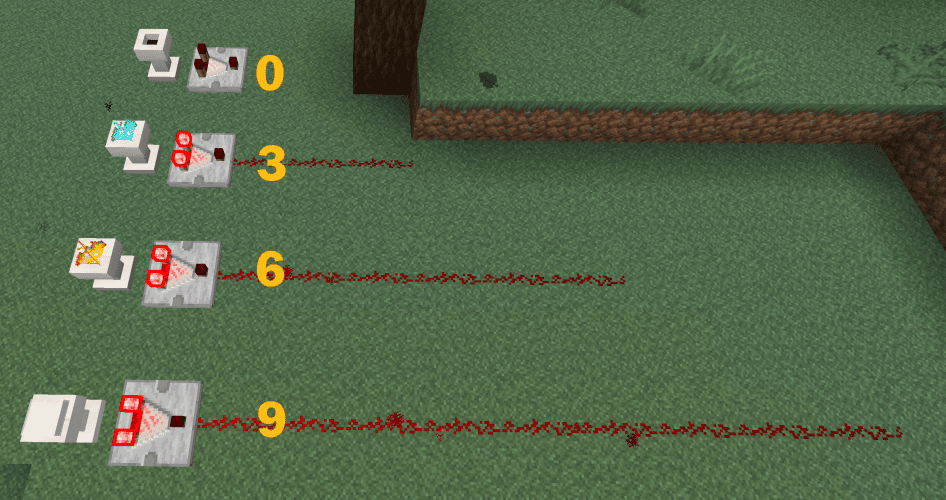
- أصبحت القواعد تدعم مخرجات المقارن.
v3.0
v2.2
- أضيفت فتحات كتاب الوصفات (الإنجازات) لجميع وصفات Additional Lights
- أضيف خيار إعدادات لتفعيل/تعطيل وصفات صناعة النار/نار الروح (الافتراضي: معطّل)
(Fabric: مطلوب Mod Menu + Cloth Config لتغيير الإعدادات، لكن المود يعمل بدونهما)
v2.1
v2.0
ملاحظة:
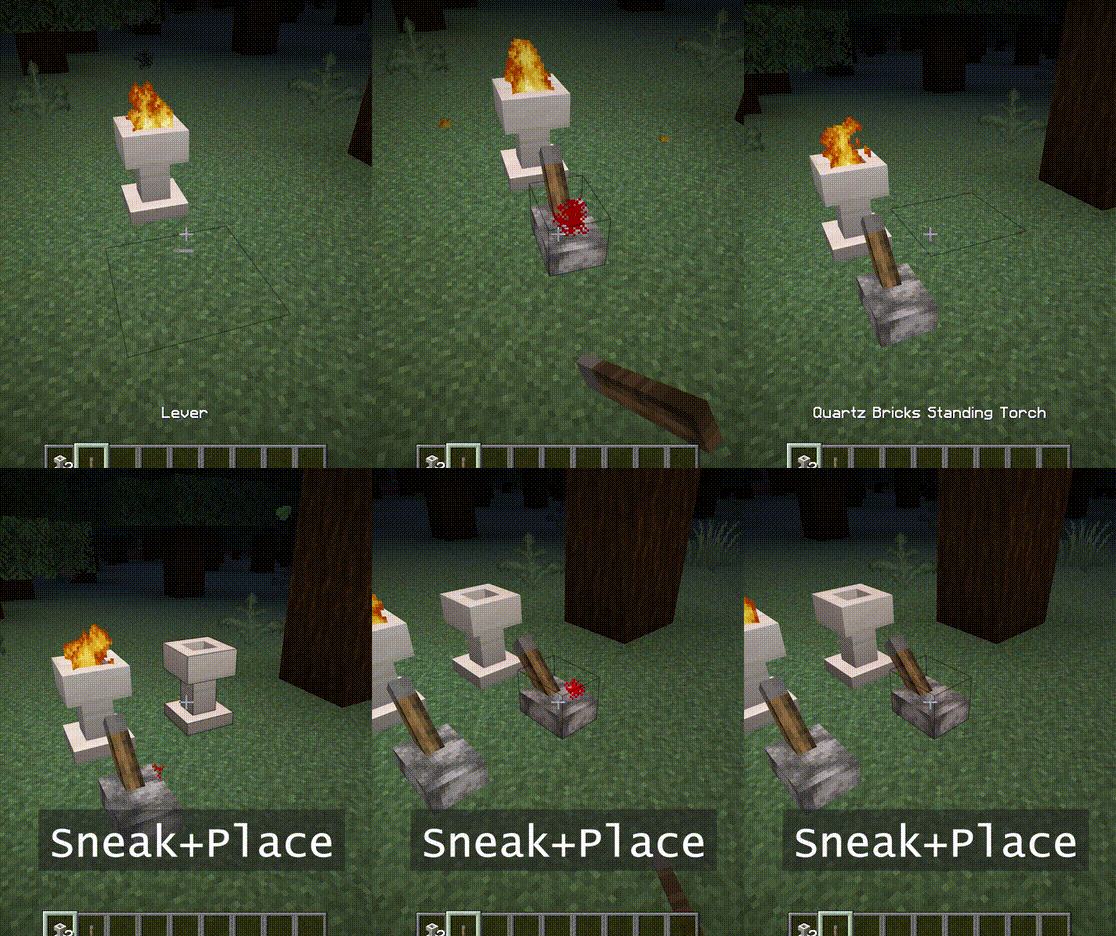
يمكن إشعال حفرة النار والمشعل الواقف بالنقر بزر الفأرة الأيمن.
كما يحتاجان إلى مساحة بمقدار كتلتين.
يمكنك استخدام عصا الروح لتحويله إلى نار الروح.
الميزات:
- - النار لا تسبب أي ضرر، لا خطر من النار.
- - سطوع نار الروح هو 10.
- - عند وضعها في وضع التسلل، لن تشتعل. كما ترفض الإشارات حتى يتم كسرها.
- - [1.16] يخاف البِغلِن من نار الروح. (المشعل لا يعمل)
لقطات الشاشة:
(ملتقطة في البيئة التالية: حزمة الملمس: Faithful x32، حزمة الشيدر: BSL v7.1.05p2، الخريطة: Falcon's Rock v2.0.0)
يمكن تنزيل حزمة الموارد الخاصة بـ faithful x32 لهذا المود من هنا. https://www.curseforge.com/minecraft/mc-mods/additional-lights/download/3001273
أنت حر في تضمينه في حزمة المودات.
كيفية تثبيت Additional Lights
With Millida Launcher
Install Millida Launcher
The launcher is free: download it at millida.net/launcher and sign in with any nickname.
Click “Install” on this page
The launcher opens and installs the mod for Minecraft 1.12.2–26.3 on Fabric, Forge or NeoForge automatically.
Launch the game
A profile with it appears in the launcher: click “Play”.
Manually
Install Fabric, Forge or NeoForge
The loader must match the game version of the mod file, for example Minecraft 26.3. After installing it, a separate profile appears in your launcher.
Download the file for your version
In the version list above, pick the file additional_lights-fabric-26.3-3.1.3.jar (830 KB) for your game version and loader.
Put it in the mods folder
The folder is inside .minecraft (Windows: %appdata%\.minecraft\mods). If it does not exist, create it.
Launch the loader profile
Open “Mods” in the main menu: Additional Lights should be in the list.
الإصدارات
مع المتطلبات
| Minecraft | المشغّل | الملف | التاريخ | الإجراءات |
|---|---|---|---|---|
| 26.3 | Fabric | Additional Lights 26.3-3.1.3-Fabric830 KB 28 | ||
| 26.3 | NeoForge | Additional Lights 26.3-3.1.3-NeoForge731 KB | ||
| 1.21.4 | Forge | Additional Lights 1.21.4-2.1.11626 KB 1 | ||
| 1.16.1 | Forge | Additional Lights 1.16.1-2.0.0489 KB | ||
| 1.12.2 | Forge | Additional Lights 1.12.2-1.2.1.2-optional326 KB 4 |
الأسئلة الشائعة
Which Minecraft versions does Additional Lights work on?
There are files for 26.3, 1.21.4, 1.16.1, 1.12.2. The newest is 26.3.
Is Additional Lights for Forge or Fabric?
There are files for Fabric: 26.3, for Forge: 1.12.2–1.21.4 and for NeoForge: 26.3.
Does Additional Lights need other mods?
The author lists no required dependencies: the Fabric, Forge or NeoForge loader is enough.
Where can I download Additional Lights safely?
On this page: the file additional_lights-fabric-26.3-3.1.3.jar (830 KB) is stored on Millida’s server, with no link shorteners. SHA-1 checksum: 197a06d2da92880c5ed0e613db13ba8354c56055.
التقييمات
كن أول من يقيّم Additional Lights


