

Abridged مود لماينكرافت 1.21.1, 26.2
جسور كبيرة وصغيرة عبر الأنهار والوديان.
 NeoForge
 Fabric
Abridged
This mod adds naturally generating bridges over rivers. These bridges can cross over anywhere from small creeks to massive canyons.
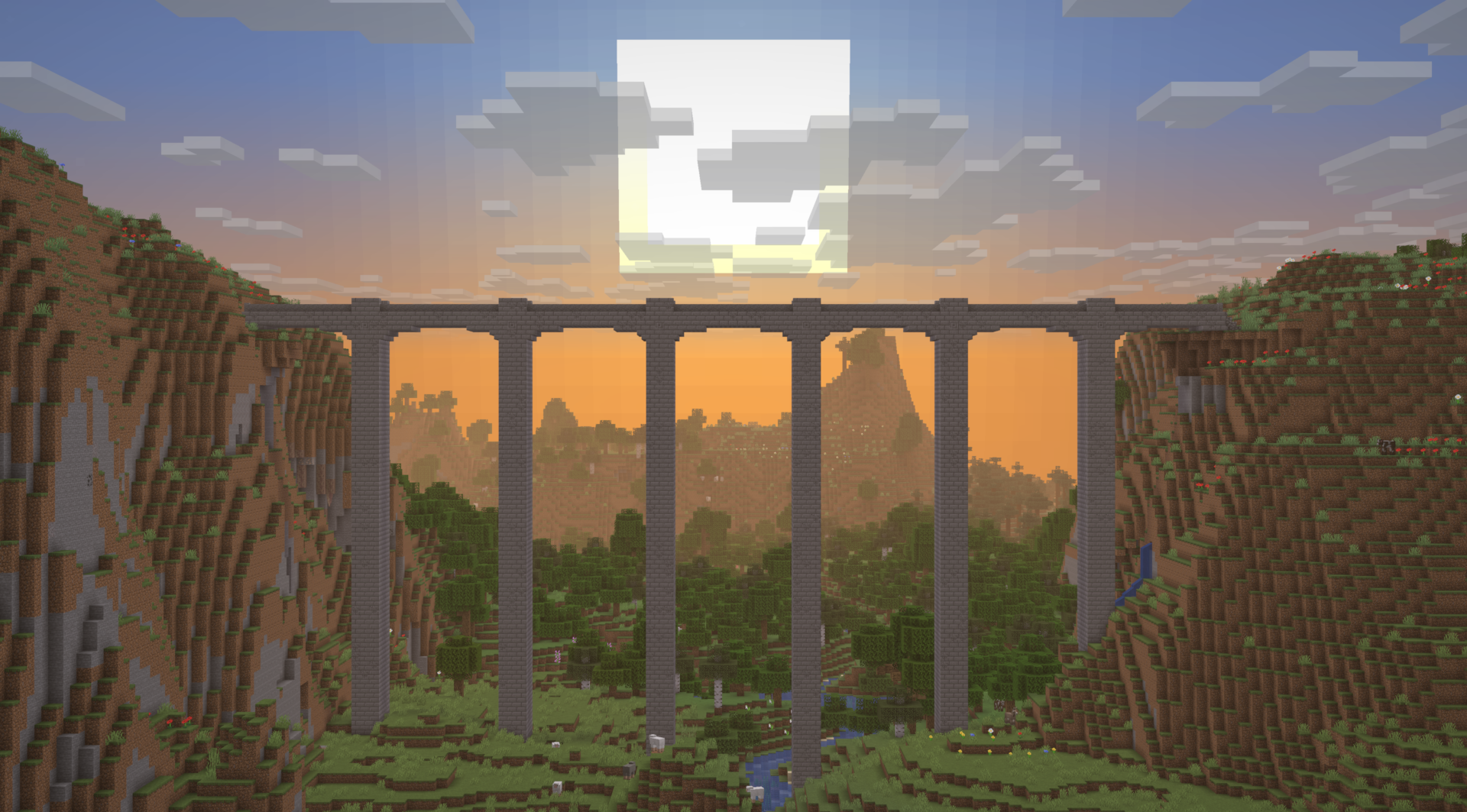
There's eleven variants of these for you find throughout your world, and you'll have to travel far and wide to see them all. If there's too many bridges for your liking, you can reduce their rarity in the mod's config file.

Compatibility
Abridged is compatible with most structure and biome mods. Bridge placement may get funky with terrain generation mods like Tectonic and Lithosphere.

كيفية تثبيت Abridged
With Millida Launcher
Install Millida Launcher
The launcher is free: download it at millida.net/launcher and sign in with any nickname.
Click “Install” on this page
The launcher opens and installs the mod for Minecraft 1.21.1–26.2 on Fabric or NeoForge automatically, together with its dependencies: Fabric API, Lithostitched.
Launch the game
A profile with it appears in the launcher: click “Play”.
Manually
Install Fabric or NeoForge
The loader must match the game version of the mod file, for example Minecraft 26.2. After installing it, a separate profile appears in your launcher.
Download the file for your version
In the version list above, pick the file abridged-2.0.2-neoforge-26.2.jar (205 KB) for your game version and loader.
Put it in the mods folder
The folder is inside .minecraft (Windows: %appdata%\.minecraft\mods). If it does not exist, create it. Required dependencies go there too: Fabric API, Lithostitched.
Launch the loader profile
Open “Mods” in the main menu: Abridged should be in the list.
On a server
A server on Fabric or NeoForge
The mod only works on a server with the same loader and game version, for example 26.2.
File goes into the server’s mods folder
Stop the server, put the mod file into the mods folder and start the server again.
Use the “To server” button
On Millida Hosting, the button at the top of the page uploads the file to your server and restarts it for you.
الإصدارات
مع المتطلبات
| Minecraft | المشغّل | الملف | التاريخ | الإجراءات |
|---|---|---|---|---|
| 26.2 | NeoForge | 26.2205 KB | ||
| 26.2 | Fabric | 26.2207 KB 2 | ||
| 26.1.2 | NeoForge | 26.1.2205 KB | ||
| 26.1.2 | Fabric | 26.1.2207 KB | ||
| 1.21.1 | NeoForge | 1.21.1212 KB | ||
| 1.21.1 | Fabric | 1.21.1213 KB 1 | ||
| 26.1.2 | NeoForge | 26.1.2117 KB | ||
| 26.1.2 | Fabric | 26.1.2117 KB |
ما يلزم لتشغيله
- Fabric APIمطلوب
- Lithostitchedمطلوب
التقييمات
كن أول من يقيّم Abridged


