
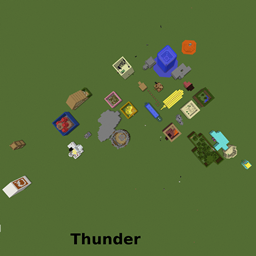
Find the button 20 Levels الخريطة لماينكرافت 1.10.2
هل يمكنك العثور عليه؟
حول خريطة Find the button 20 Levels
This is a huge find the button map took hours to make has lots of biome themes youtuber themes and all! if your a fan of find the button you will love this! there is same parkour in the map though so it might take a few tries. also Huge thanks to Popularmmos and Gamingwithjen for inspiring me! I love all there videos and I watch every day! Also check out my youtube channel (https://www.youtube.com/channel/UCA6xWUifgd_BUGcga7VS6kg) Have a great day!
كيفية تثبيت Find the button 20 Levels
With Millida Launcher
Install Millida Launcher
The launcher is free: download it at millida.net/launcher and sign in with any nickname.
Click “Install” on this page
The launcher opens and installs the map for Minecraft 1.10–1.10.2 automatically.
Launch the game
A profile with it appears in the launcher: click “Play”.
Manually
Download the map archive
Pick the file FindTheButton.zip (1.6 MB).
Unpack it into the saves folder
The world folder (with level.dat inside) must sit directly in .minecraft/saves.
Open the world
“Singleplayer”: the map will be in your world list.
On a server
Replace the world folder
Stop the server and put the map folder in place of world (or set its name in level-name).
Use the “To server” button
On Millida Hosting, the button at the top of the page uploads the file to your server and restarts it for you.
الإصدارات
مع المتطلبات
| Minecraft | المشغّل | الملف | التاريخ | الإجراءات |
|---|---|---|---|---|
| 1.10.2 | — | FindTheButton.zip1.6 ميغابايت |
الأسئلة الشائعة
Which Minecraft versions does Find the button 20 Levels work on?
There are files for 1.10.2, 1.10.1, 1.10. The newest is 1.10.2.
Where can I download Find the button 20 Levels safely?
On this page: the file FindTheButton.zip (1.6 MB) is stored on Millida’s server, with no link shorteners. SHA-1 checksum: a45b9585472b9125227b48888a4d76c8d7763b5b.
التقييمات
كن أول من يقيّم Find the button 20 Levels



